
Orders Page
Choose subscription plans and top up credits according to your needs
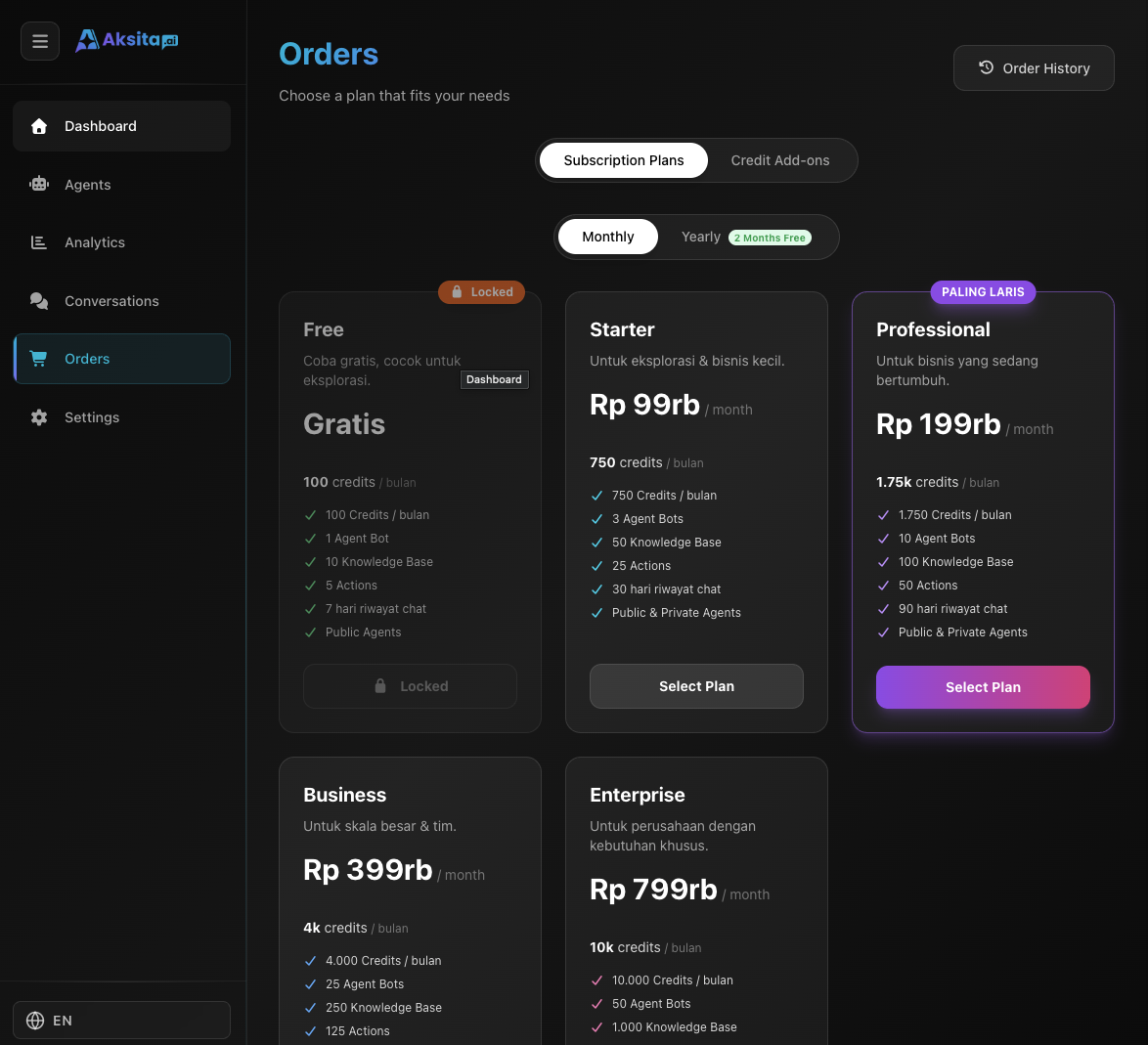
Screenshot: Dashboard Orders
Screenshot: Dashboard Orders
About Orders Page
The Orders page has 2 main tabs: Subscription Plans for choosing monthly/yearly packages, and Credit Add-ons for purchasing additional credits. You can also access order history via the "Order History" button.
Key Features:
- 2 Tabs: Subscription Plans & Credit Add-ons
- Billing Cycle: Choose monthly or yearly (save 2 months)
- Custom Credit: Buy credits based on desired amount
- Order History: Access order history on separate page
Subscription Plans Tab
Choose a subscription plan that fits your business needs:
Choose Billing Cycle
Toggle between Monthly or Yearly:
- • Monthly: Pay per month, no long-term commitment
- • Yearly: Save 2 months (pay for 10 months, get 12 months)
Available Plans:
Click <strong>"Choose Plan"</strong> on the plan card to proceed to payment.
Credit Add-ons Tab
Need additional credits beyond your subscription quota? Buy custom credits as needed:
Custom Credit Amount
Enter the amount of credits you want to buy (minimum 1 credit). Price will be calculated automatically with tiered pricing system:
Tiered Pricing (per 1000 credits):
Pro Tip: Buy in bulk to get discounts up to 24%!
Order History
Click the <strong>"Order History"</strong> button in the top right corner to view purchase history:
Information Displayed:
You can download invoices from the order history page for accounting purposes.
Plan Selection Tips
Start Small
Begin with a small plan (Free or Starter), then upgrade based on your actual usage needs.
Choose Yearly to Save
Yearly billing gives you 2 months free - perfect if you're committed to long-term usage.
Monitor Credit Usage
Check analytics to understand average credit usage, then choose a plan that fits (not too little, not excessive).
Add-ons for Spikes
Use Credit Add-ons to handle traffic spikes or seasonal demand without permanent subscription upgrade.