
Billing
Order History
Learn how to view and manage your transaction history
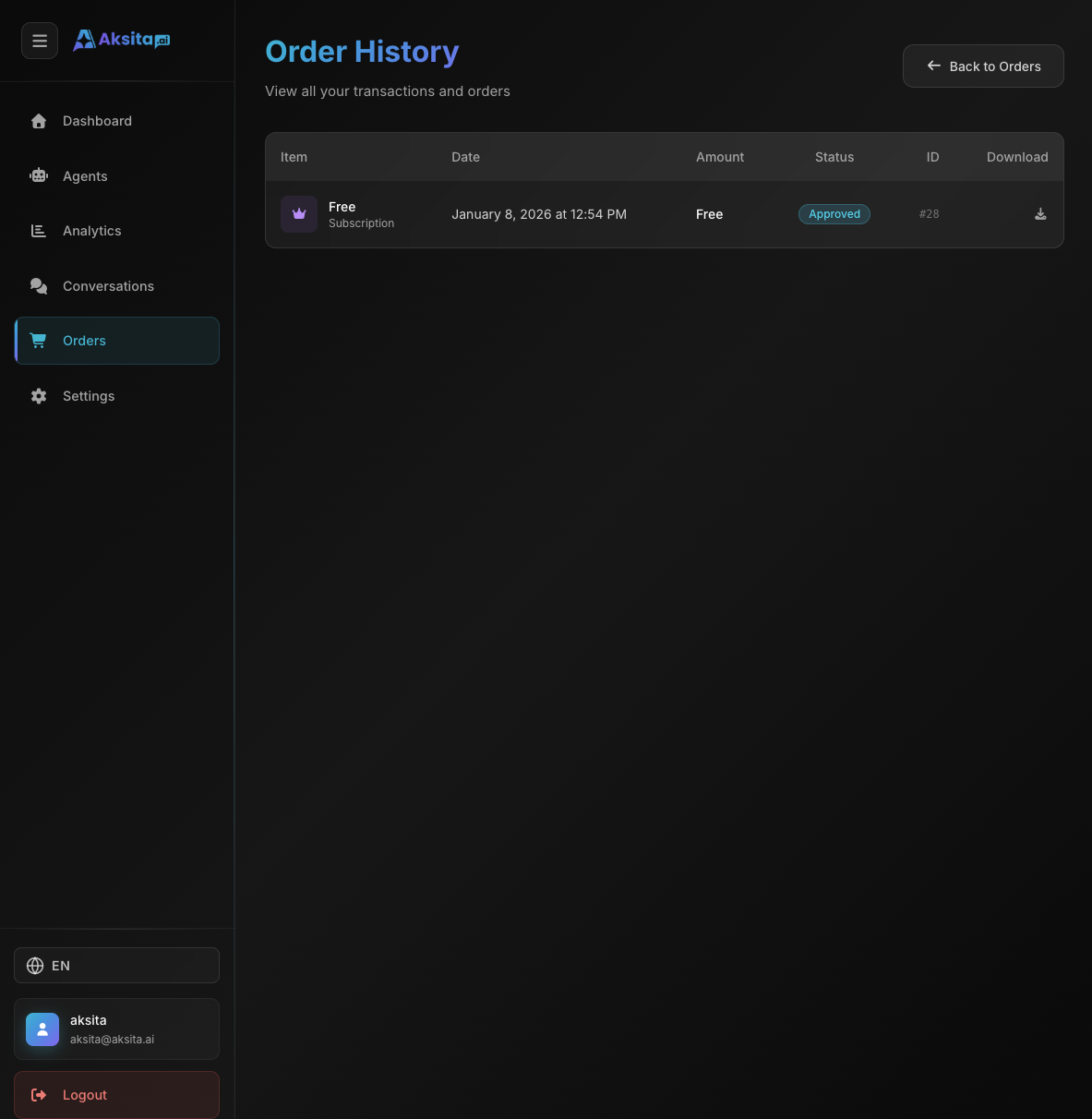
Screenshot: Order History
Screenshot: Order History
About Order History
Order History displays all transactions you have made, both subscription plans and credit add-ons. Each order has a status, invoice, and payment details.
Key Features:
- Order List: List of all transactions with complete information
- Status Tracking: Track status of each order (Pending, Paid, Failed, Expired, Rejected)
- Invoice Download: Download invoice PDF for each order
- Pagination: Orders displayed per page with navigation
1
Order History List
Each order in history displays the following information:
Order Information
• Item Name: Plan name or credit amount
• Type: Subscription (plan) or Add-on (credit top-up)
• Order ID: Unique order ID (format: #123)
• Date: Purchase date (formatted with locale)
• Amount: Total payment (Rp format)
Status Badges
• Pending: Awaiting payment
• Paid: Payment successful
• Failed: Payment failed
• Expired: Order expired
• Rejected: Order rejected (shows rejection reason)
Download Invoice
Each order has a download button to download invoice in PDF format. Invoice contains complete transaction details.
2
Pagination
Order history uses pagination to display orders per page:
Pagination Features:
- • Page Size: Number of orders per page (default: 10)
- • Navigation: Previous/Next buttons and page numbers
- • Info: Displays "Showing X-Y of Z items"
- • Page Numbers: Displays maximum 7 page numbers with ellipsis if needed