
Sitemap Knowledge Base
Fetch multiple URLs at once from your website's sitemap.xml
What is Sitemap KB?
Sitemap Knowledge Base allows you to fetch multiple URLs at once from sitemap.xml file. Perfect for websites with documentation, blogs, or structured knowledge bases. You can select which URLs to add with pattern filtering.
Fetch many pages at once
Select URLs with include/exclude
Choose only relevant URLs
When to Use Sitemap KB?
Documentation websites with many tutorial pages
Blog with many relevant articles
Structured knowledge base or help center
Learning platform with course content
How to Create Sitemap KB
- 1 Open Resources → Create Resource
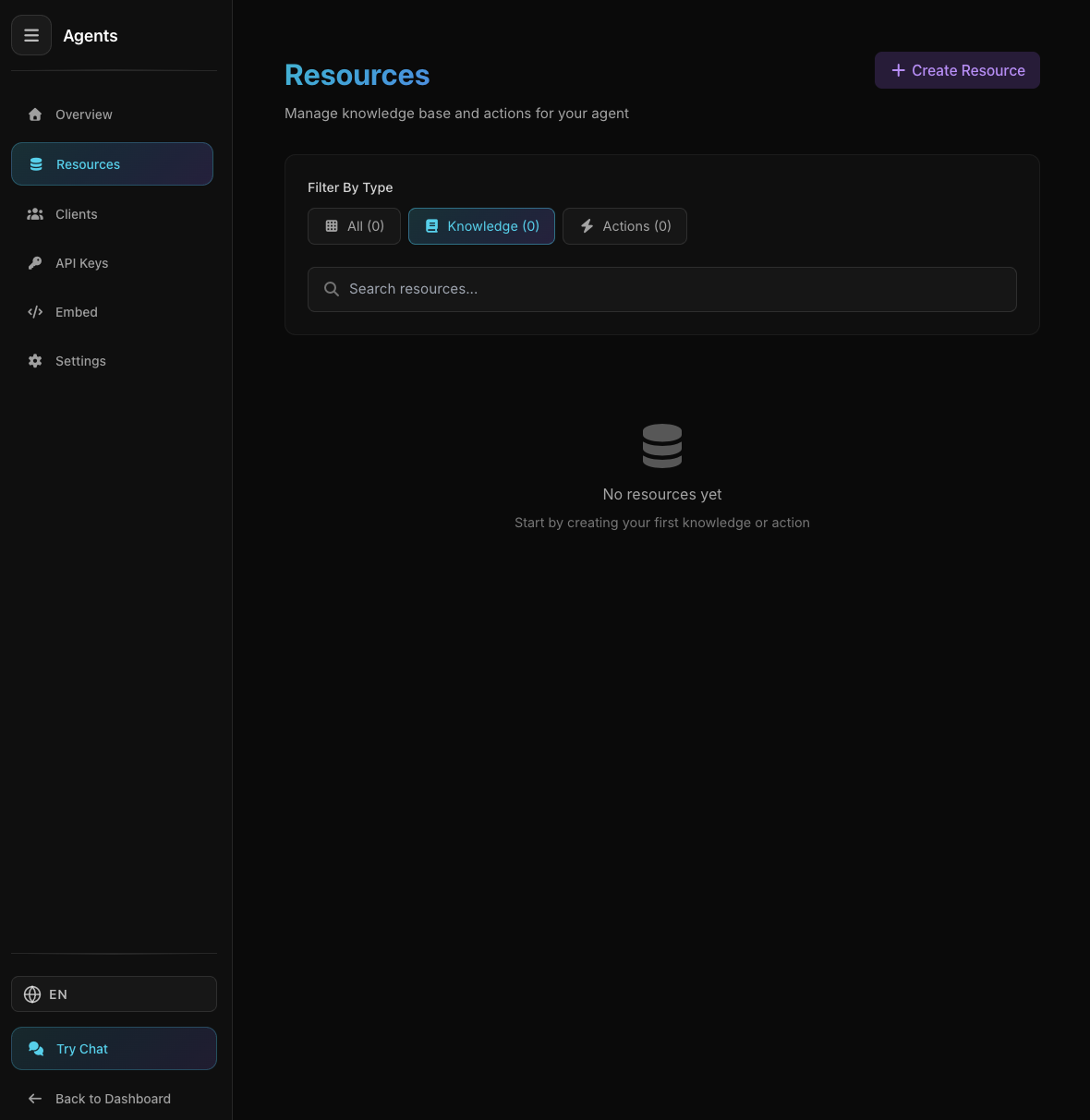
Agent Resources Page
Agent Resources Page
Select Knowledge → Sitemap
- 2 Enter Sitemap URL
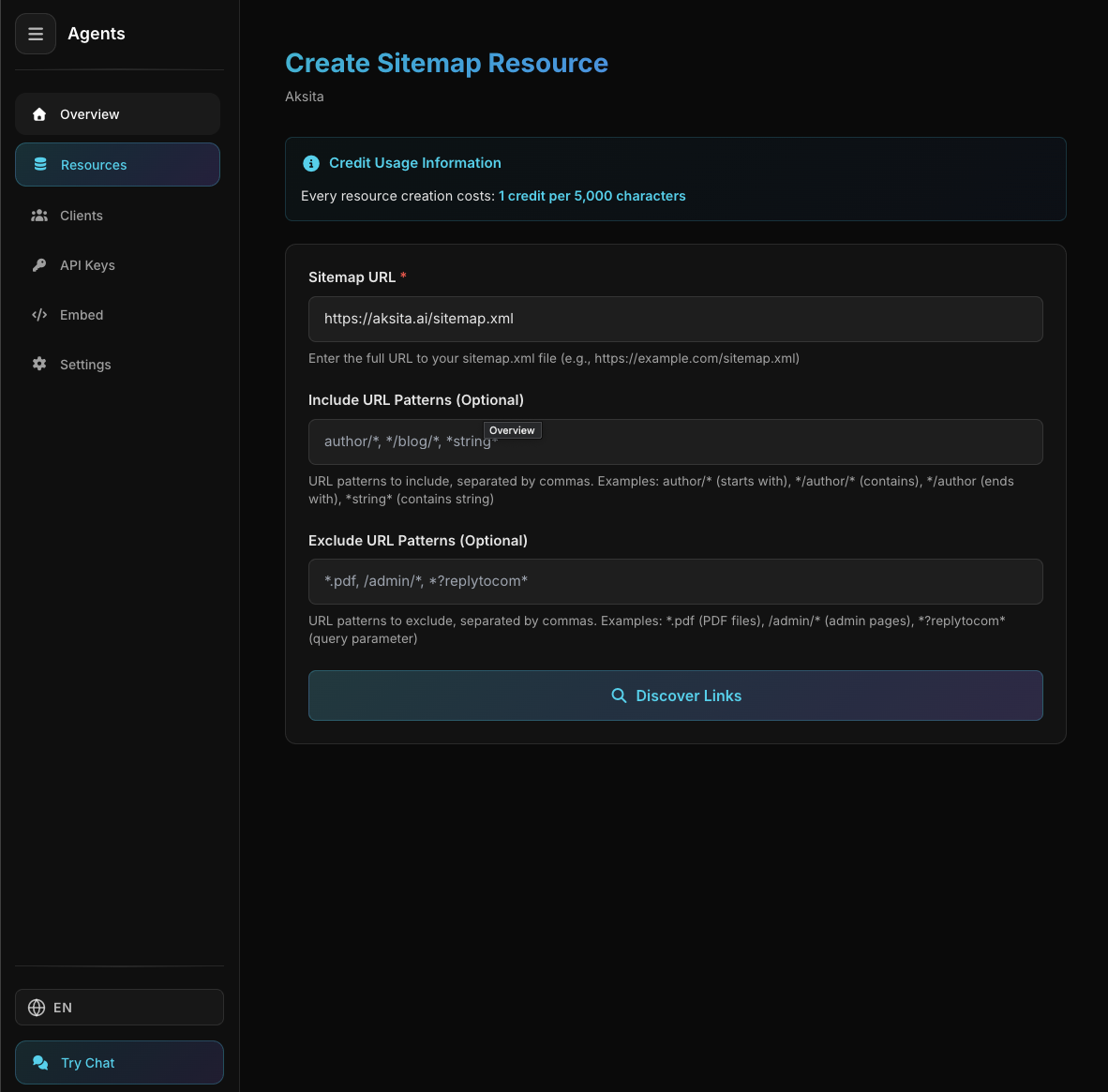
Sitemap URL Input Form
Sitemap URL Input Form
Website sitemap.xml file URL:
https://example.com/sitemap.xml - 3 Add Filters (Optional)
Filter URLs you want to fetch:
Include patterns: /docs/, /blog/(Only fetch URLs with /docs/ or /blog/)
Exclude patterns: /tag/, /category/(Ignore URLs with /tag/ or /category/)
- 4 Click "Discover URLs"
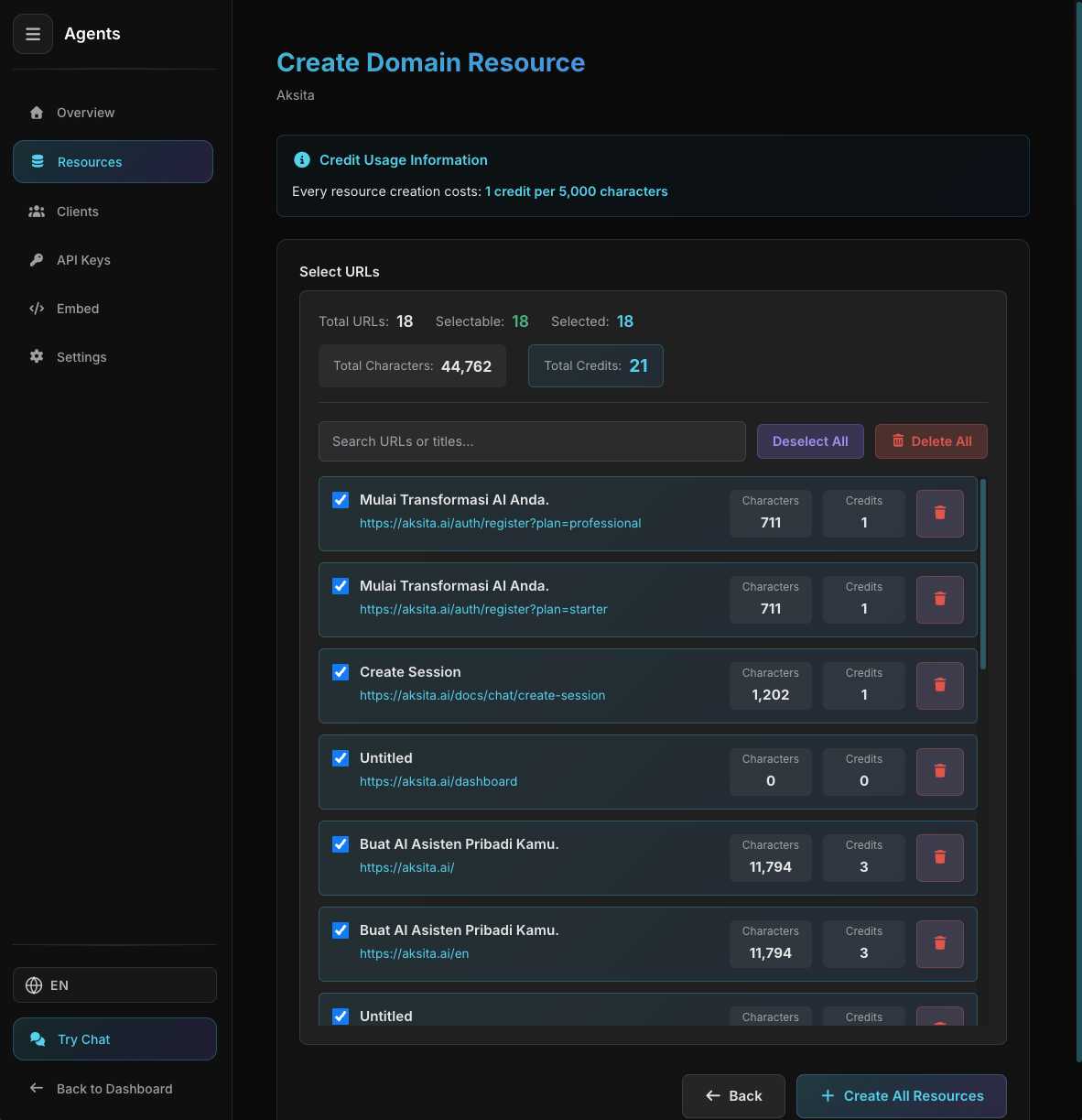
URL List from Sitemap
URL List from Sitemap
System parses sitemap and shows URL list
- 5 Select URLs
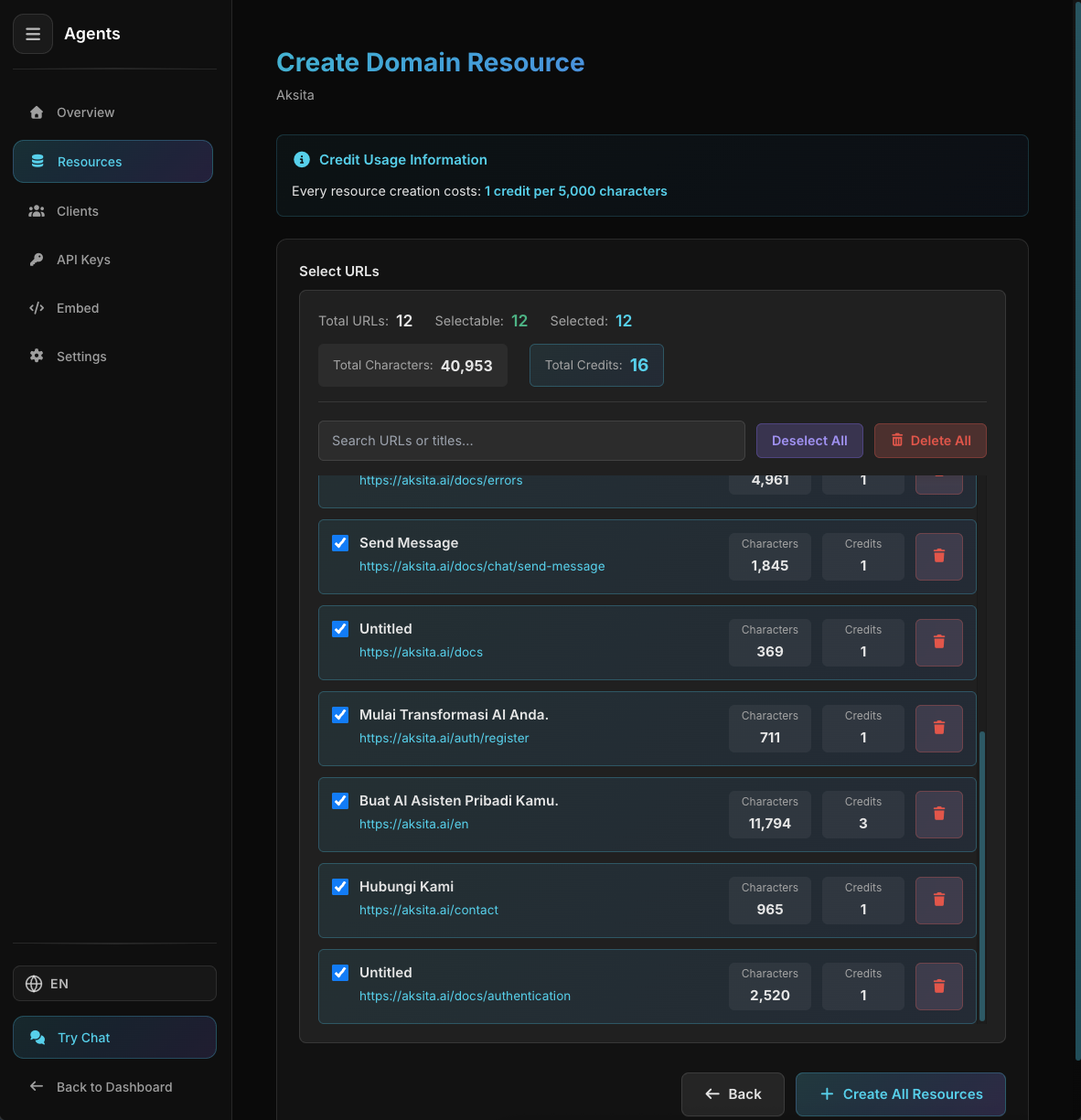
Select Desired URLs
Select Desired URLs
Check/uncheck URLs you want to add
- 6 Click "Create Selected"
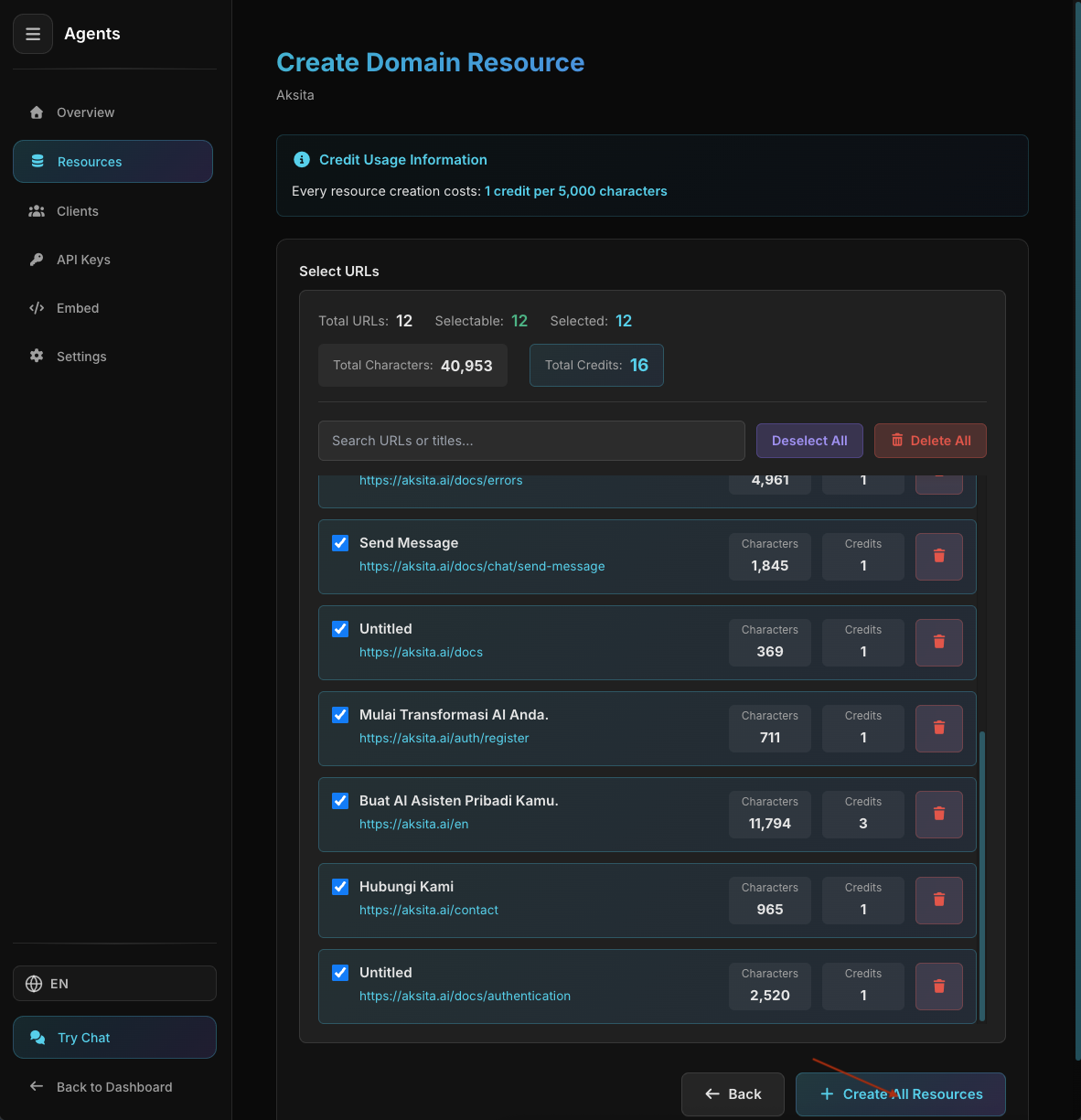
Sitemap KB Created Successfully
Sitemap KB Created Successfully
System creates KB for each URL
Tips & Best Practices
We can only read SSR (Server-Side Rendered) websites. JavaScript-based SPA (Single Page Application) like React, Vue, or Angular without SSR cannot be read.
Filter to fetch only relevant pages
Ensure only useful URLs are selected