
Agent Management
Agent Overview
Understanding the agent overview page and displayed information
Overview Page
Overview is the first page that appears when you open an agent. This page displays agent configuration information.
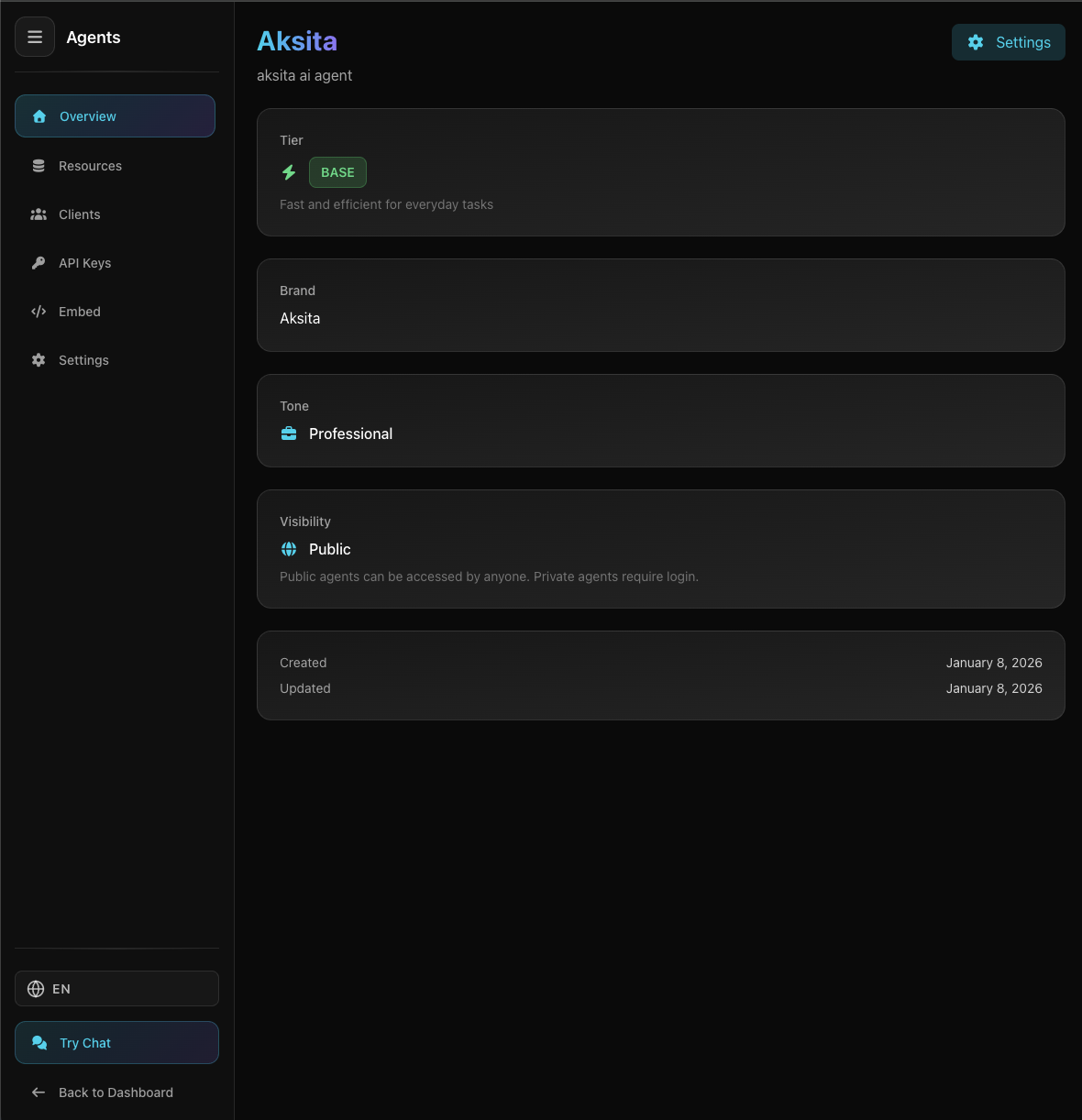
Screenshot: Agent Overview Page
Screenshot: Agent Overview Page
Displayed Information:
Tier
Agent tier: Base, Plus, or Premium
Brand
Brand or company name (optional)
Tone
Agent speaking style (Friendly, Professional, Casual, etc)
Starter Prompts
Initial questions users can select when starting a chat
Created Date
When the agent was created
Agent Navigation Tabs
At the top of the agent page, there are several tabs to access different agent features.
Overview
Agent configuration information
Resources
Knowledge bases and actions
Clients
Manage multi-client access
API Keys
Generate API keys for integration
Embed
Chat widget embed code
Settings
Agent settings (tier, tone, etc)
Tips & Tricks
- Overview displays read-only configuration, use Settings to edit
- Tier determines the AI model used (Base, Plus, or Premium)
- Use navigation tabs to access other agent features