
File Knowledge Base
Upload PDF, DOCX, TXT and other document formats as knowledge base
What is File KB?
File Knowledge Base allows you to upload documents in various formats. System will automatically extract text from documents and use it as knowledge base. Perfect for documents, manuals, reports, or existing files.
Supported Formats:
DOCX
TXT
MD
When to Use File KB?
User manuals, technical documentation in PDF/DOCX
Terms of service, privacy policy, agreements
Research reports, white papers, case studies
Knowledge base, FAQ, or guides in documents
How to Upload File KB
- 1 Open Resources → Create Resource
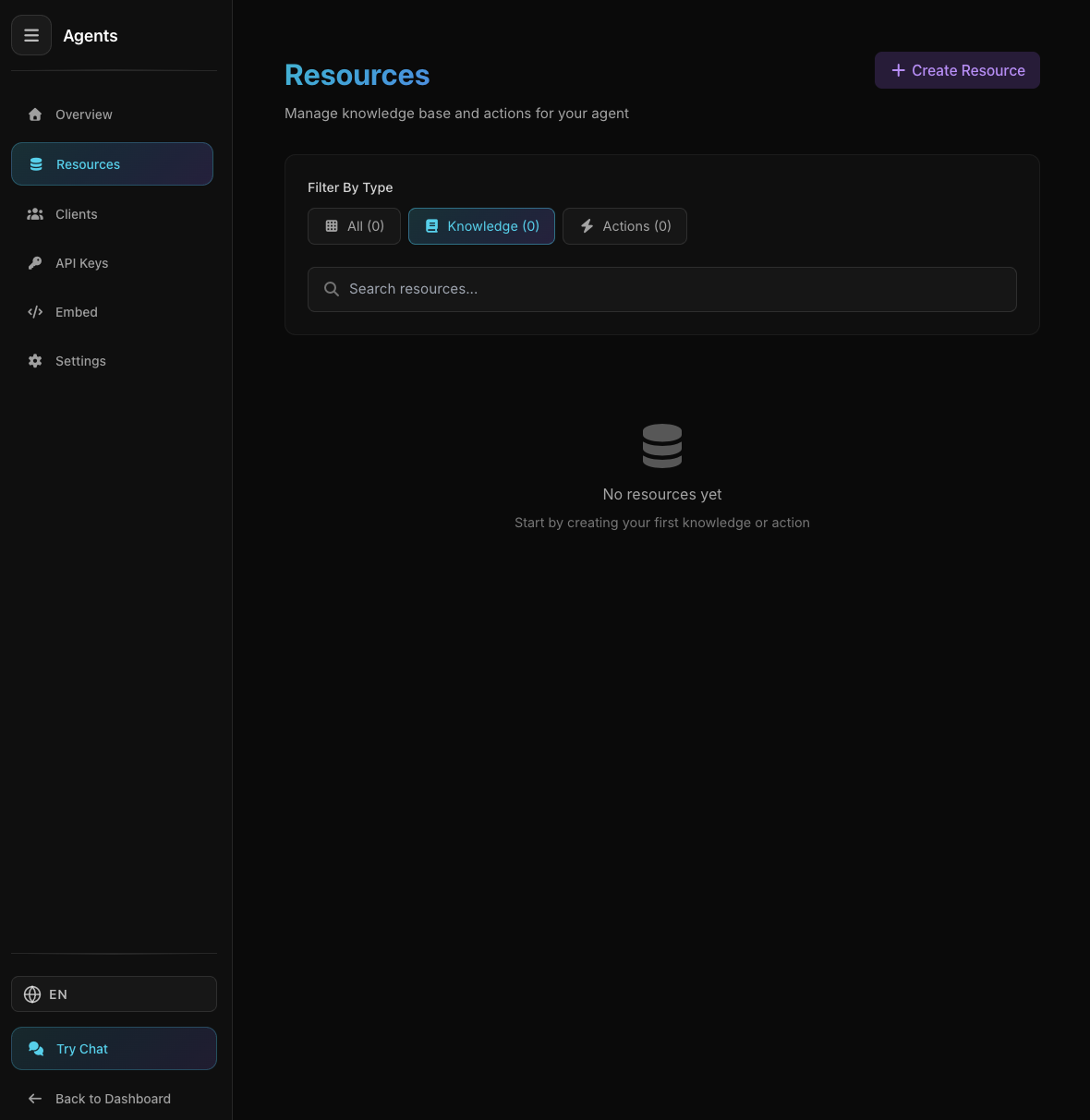
Agent Resources Page
Agent Resources Page
Select Knowledge → File
- 2 Upload File
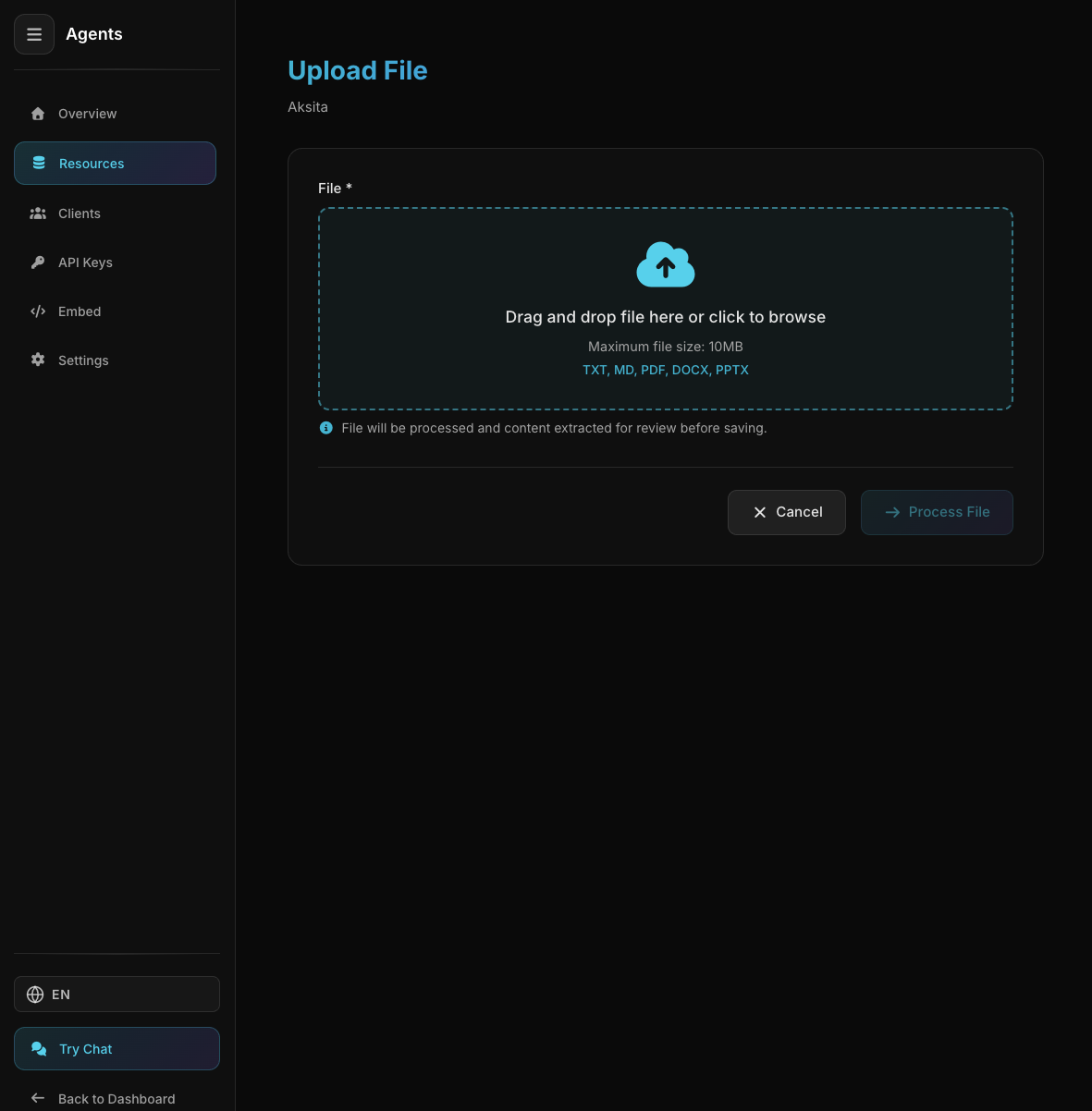
File Upload Area
File Upload Area
Click upload area or drag & drop your file
Maximum size: 10MB
- 3 System Extracts Text
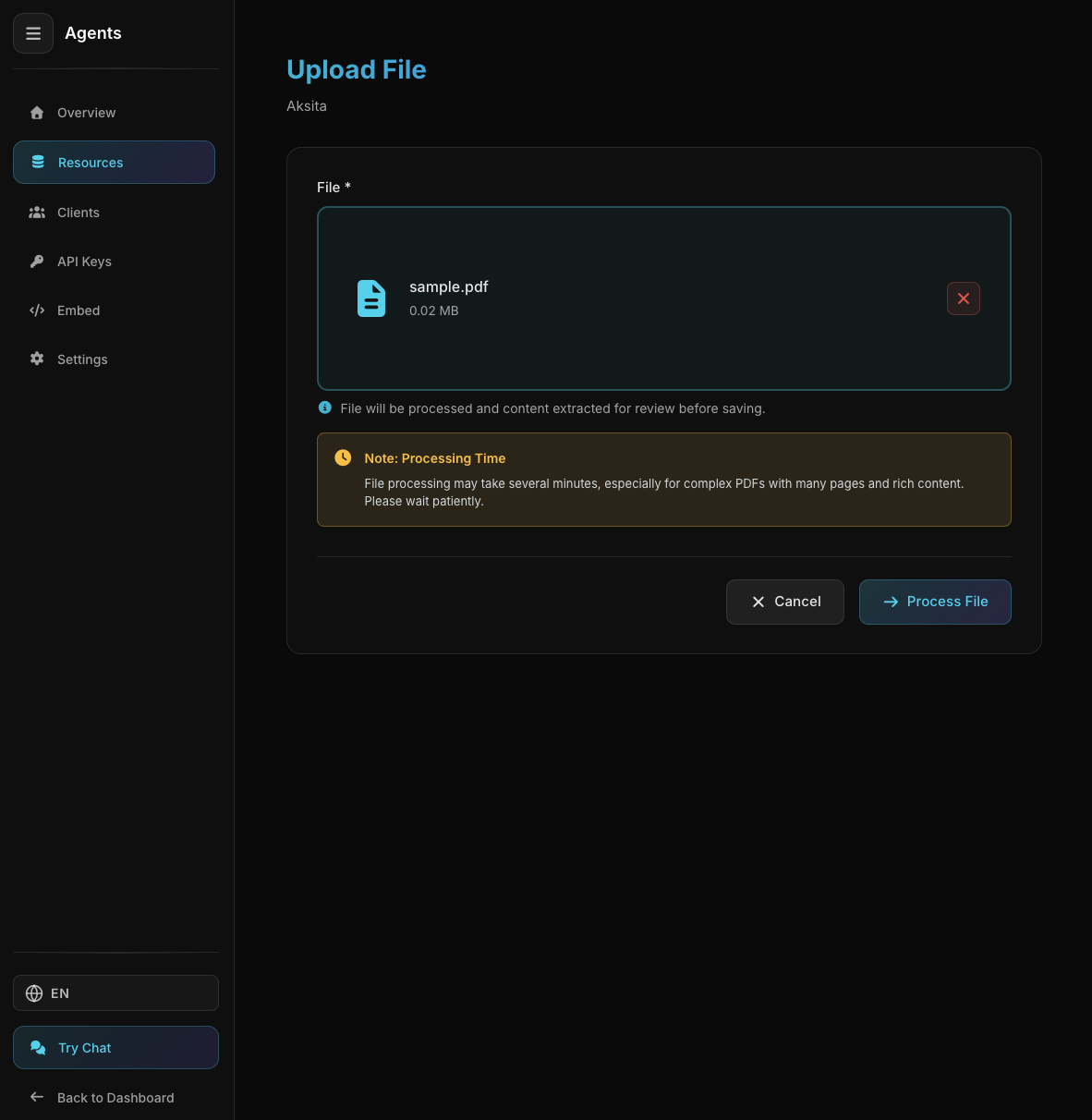
Text Successfully Extracted from File
Text Successfully Extracted from File
System uploads and extracts text from document
- 4 Name & Create
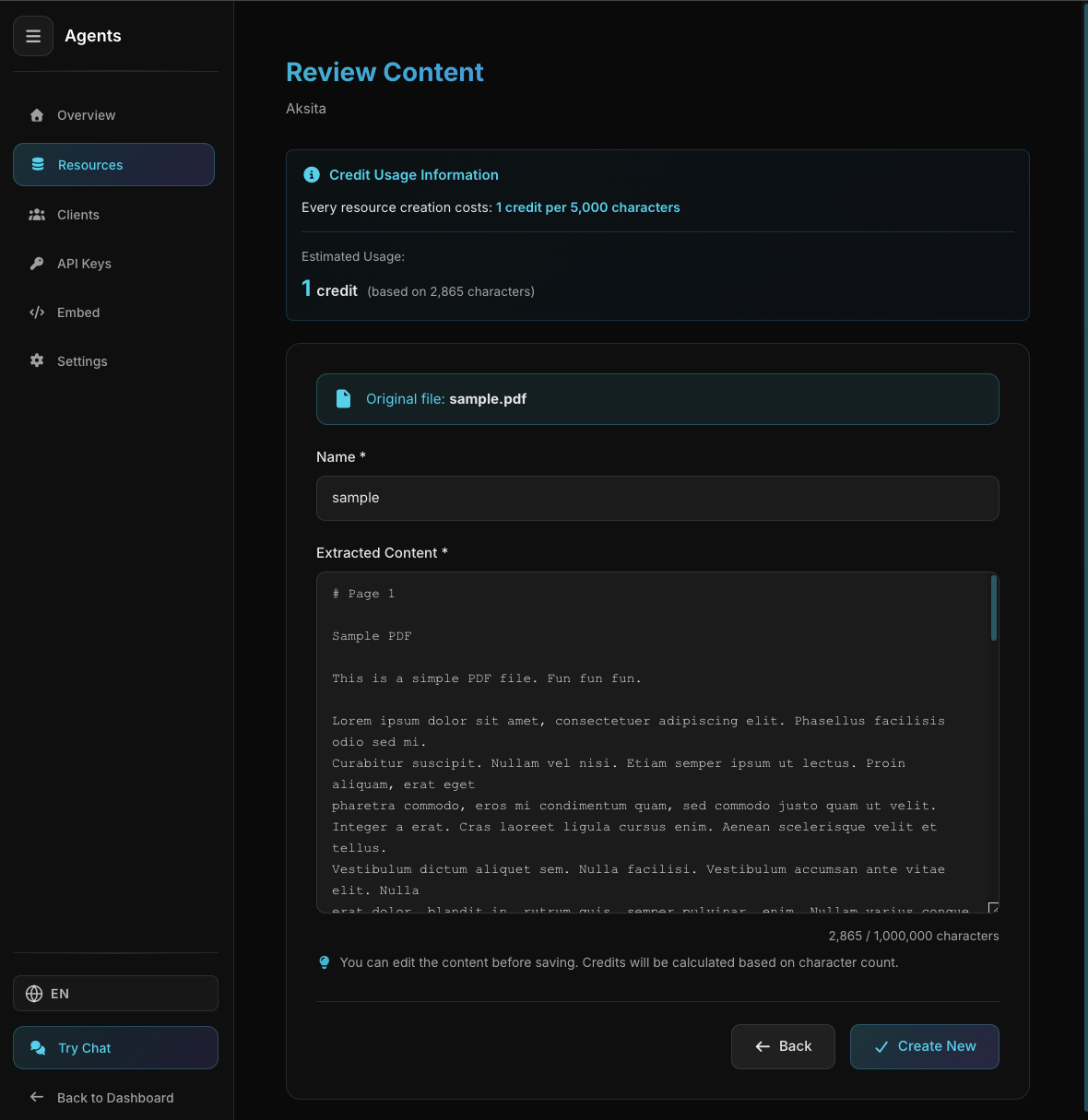
File KB Created Successfully
File KB Created Successfully
Give descriptive name then click Create
Tips & Best Practices
Documents with clear structure will extract better
Scanned PDF (images) cannot be extracted well
Use clear names for easy identification
Re-upload if document is updated
Previous
Domain
Crawl entire website domain