
Domain Knowledge Base
Automatically crawl entire website for comprehensive knowledge base
What is Domain KB?
Domain Knowledge Base is the most powerful way to add knowledge base. System will automatically crawl entire website from the domain you provide, find all internal pages, and index them. Perfect for websites with lots of structured content.
Crawl entire website automatically
Discover pages automatically
Include/exclude patterns
When to Use Domain KB?
Complete documentation with many pages
Store website with many products
Knowledge base or support website
Corporate website with many pages
How to Create Domain KB
- 1 Open Resources → Create Resource
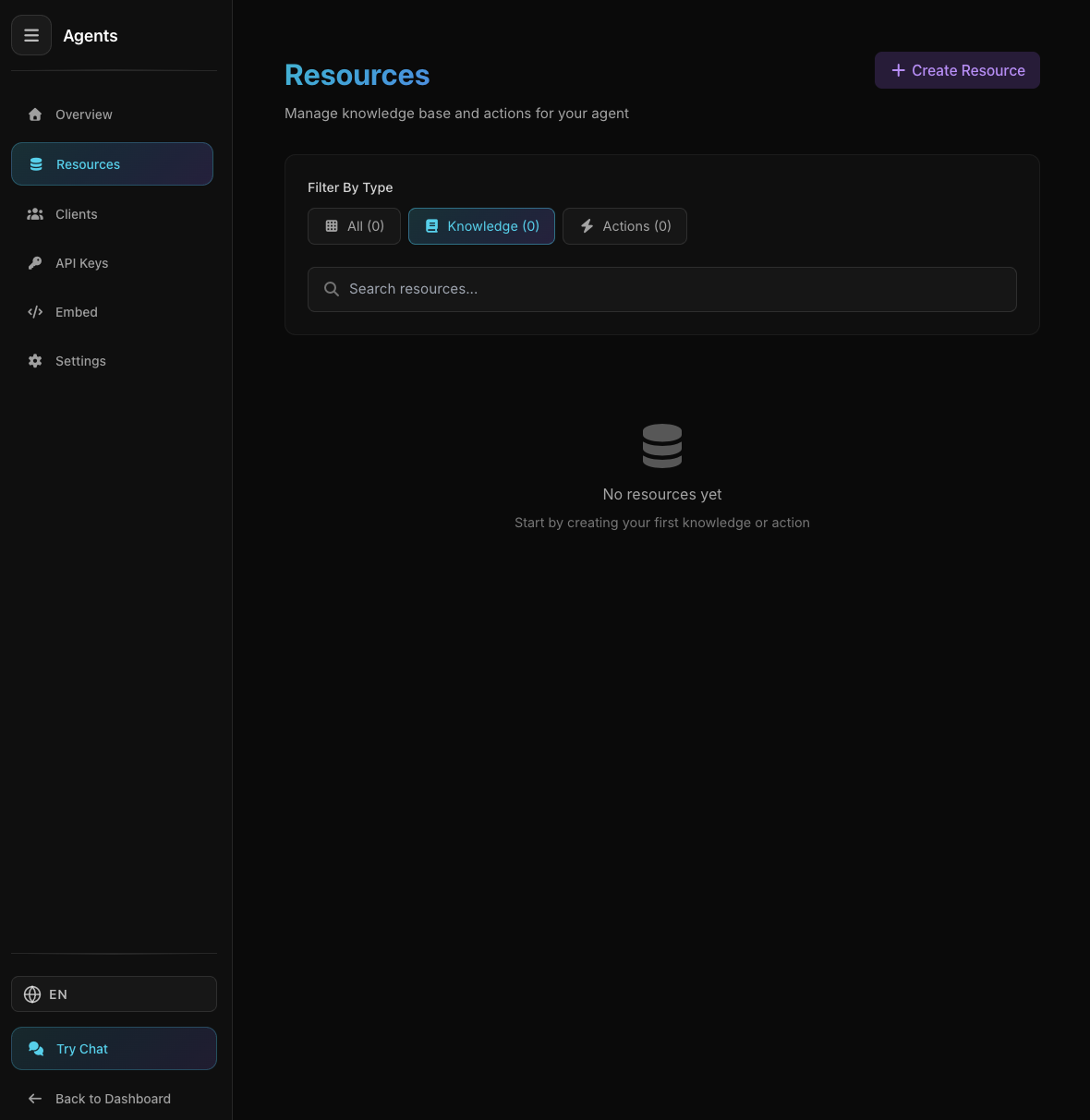
Agent Resources Page
Agent Resources Page
Select Knowledge → Domain
- 2 Enter Domain URL
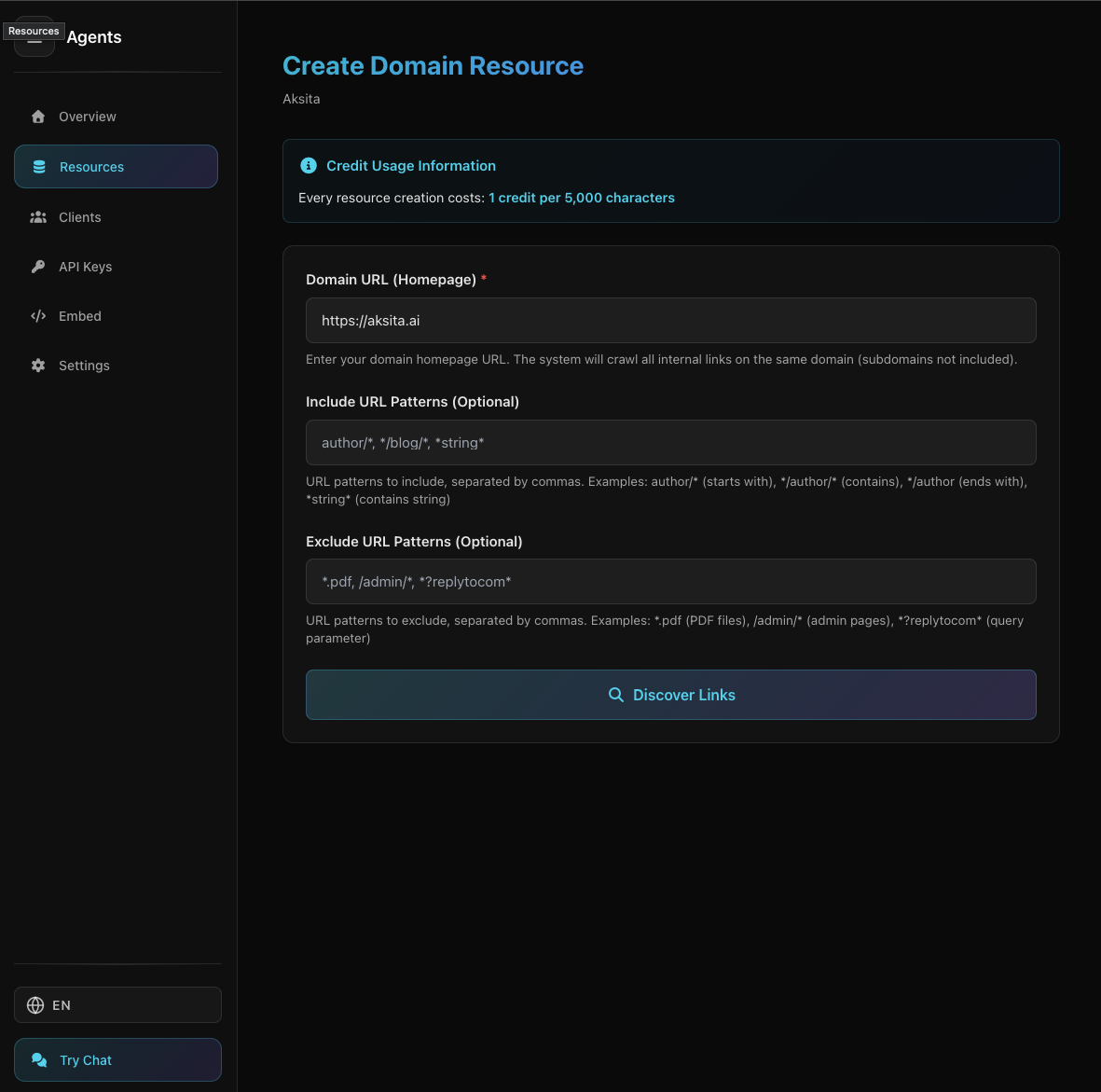
Domain Input Form with Filters
Domain Input Form with Filters
Domain homepage URL:
https://example.com - 3 Add Filters (Optional)
Limit pages to crawl with patterns
- 4 Click "Discover URLs"
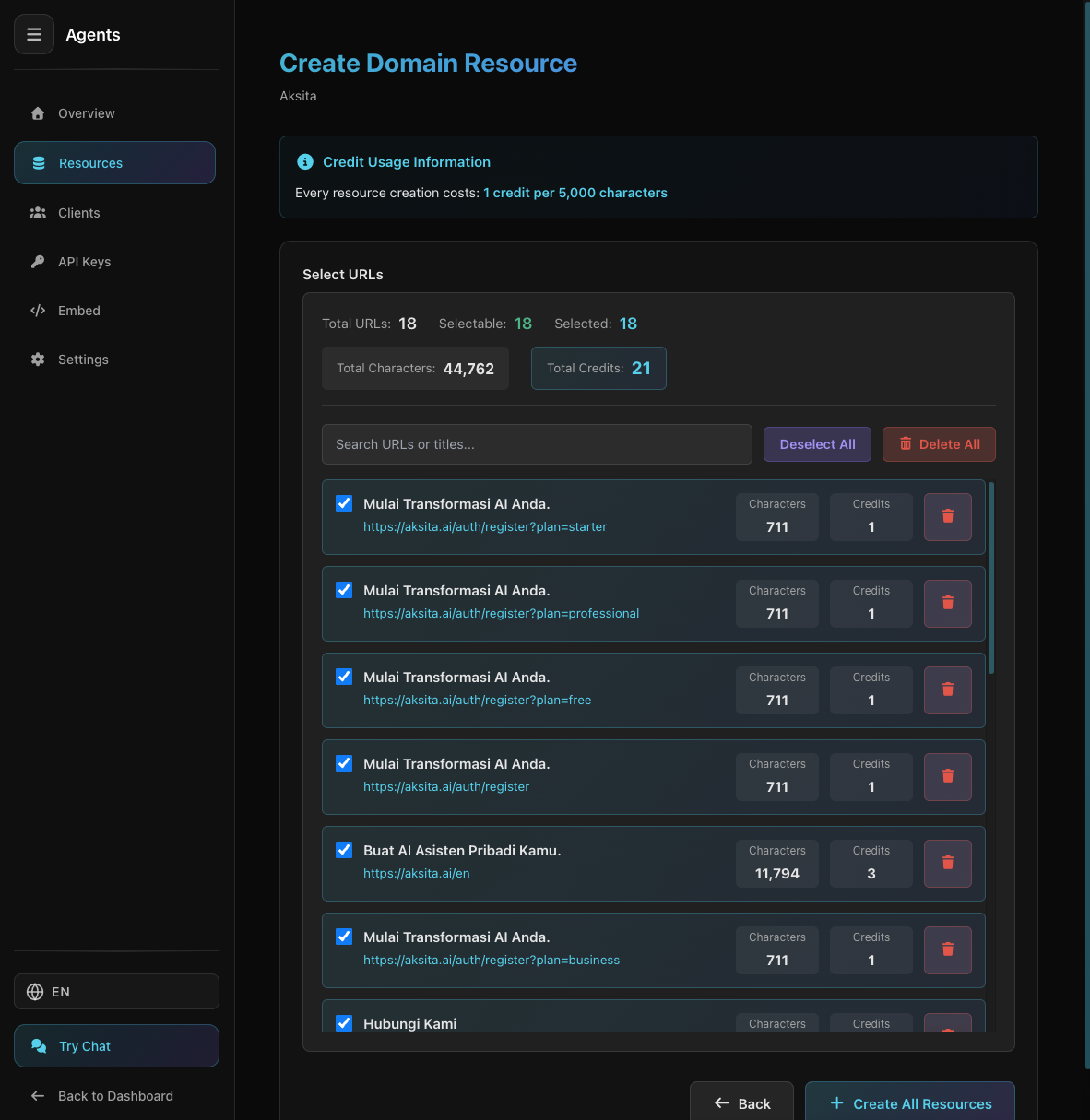
URL List from Domain Crawl
URL List from Domain Crawl
System crawls and shows URL list
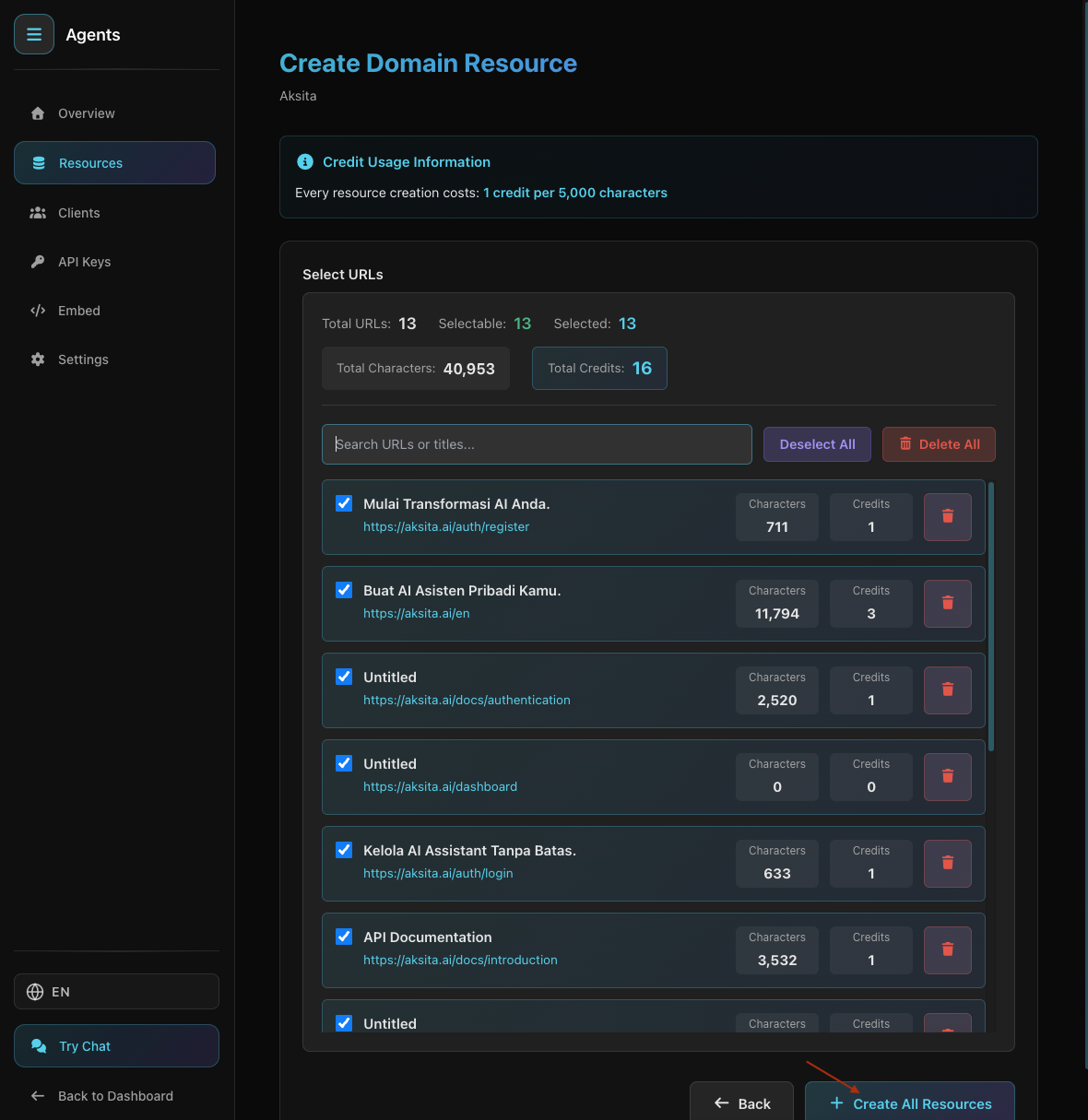
- 5 Select Desired Domain URLs
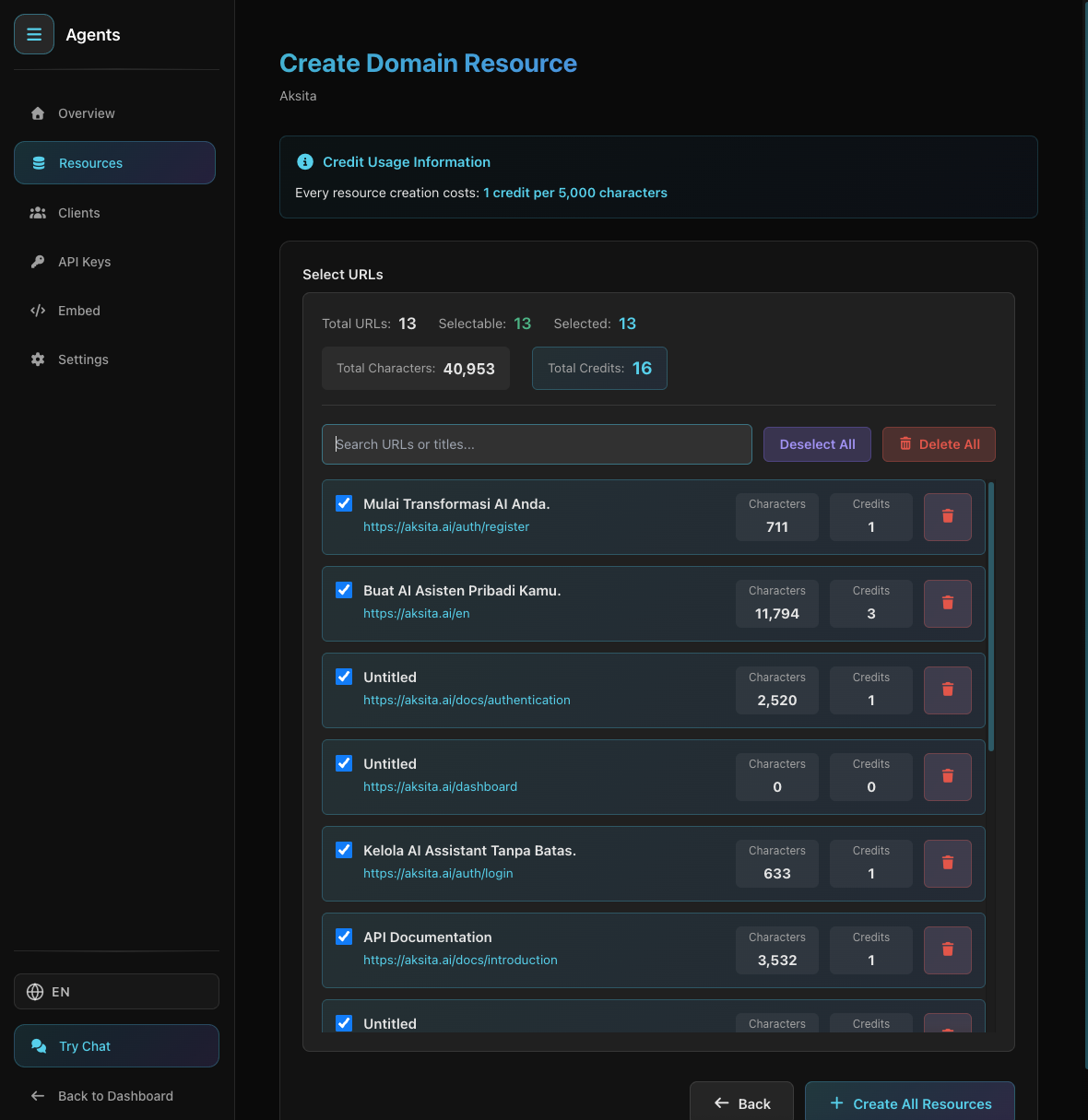
Select Desired Domain URLs
Select Desired Domain URLs
Check Domain URLs you want to index from the discovered list
- 6 Review & Create
Domain KB Created Successfully
Domain KB Created Successfully
Review selected URLs, give it a name, then click "Create"
Knowledge base will be processed and ready to use in a few moments
Important Notes
We can only read SSR (Server-Side Rendered) websites. JavaScript-based SPA (Single Page Application) like React, Vue, or Angular without SSR cannot be read.
Large crawls take time, depending on website size
Only links within same domain
Websites with anti-bot might fail to crawl
Tips & Best Practices
Filter to crawl only relevant sections
If sitemap available, test with Sitemap KB first
Domain crawl can use many credits
Previous
Sitemap
Fetch KB from sitemap.xml