
Settings Detail
Learn advanced features on the settings page, including form validation, password strength indicator, and account deletion process with OTP
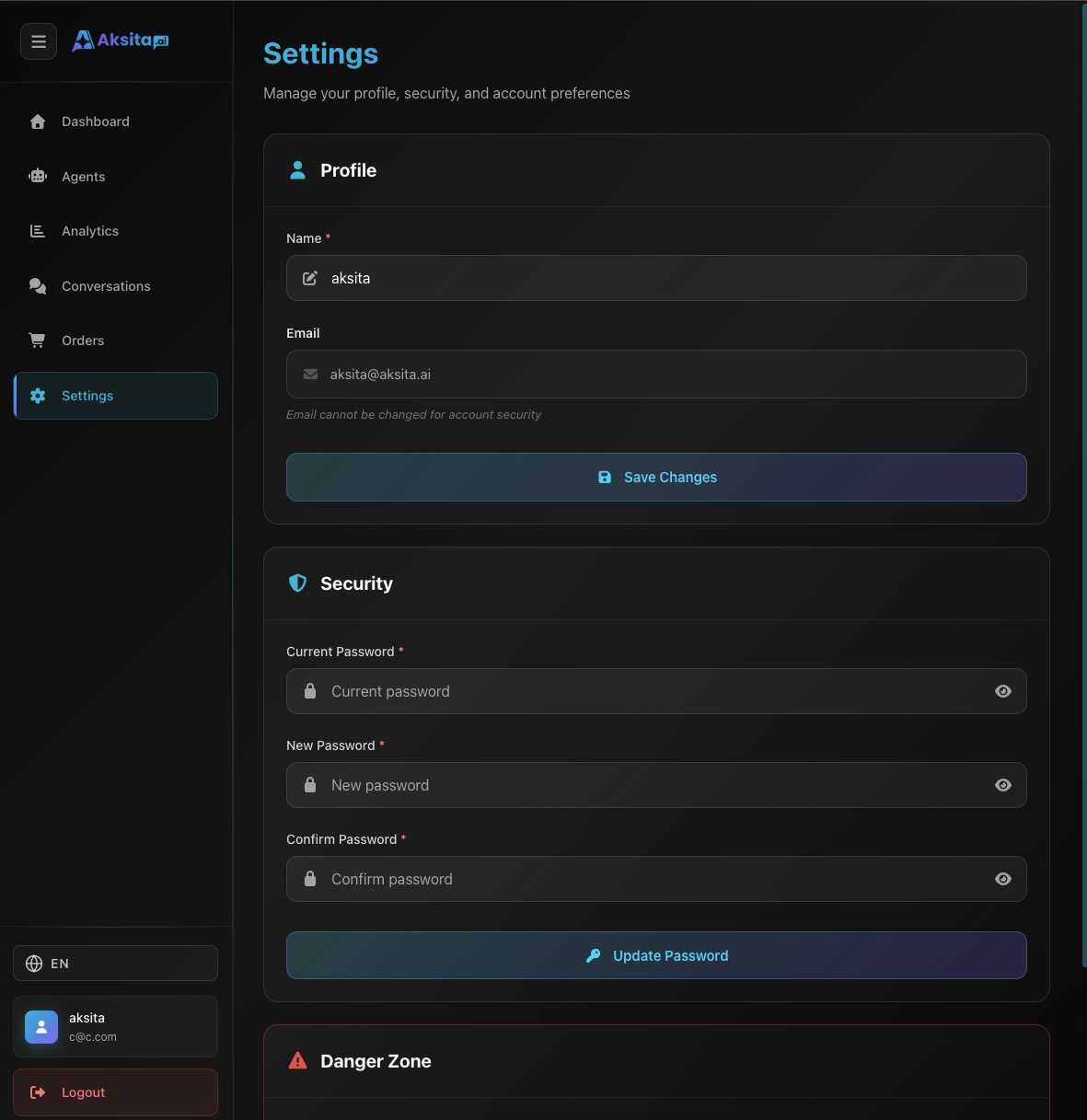
Screenshot: Settings Detail
Screenshot: Settings Detail
About Settings Detail
The Settings page has 3 main sections with various validation and security features. Each section has different processes and validations.
Profile Section Detail
Name Field (Editable)
- • Validation: Required, minimum 2 characters
- • Real-time: Validation on blur (onblur event)
- • Error Display: Error message displayed below field
- • API Endpoint:
PUT /user/profile - • Update Store: User store updated after success
Email Field (Read-only)
- • Display: Displayed with envelope icon and gray background
- • Locked: Cannot be changed for account security
- • Hint: Shows message "Email cannot be changed for account security"
Save Button
- • State: Disabled while updating (isUpdatingProfile)
- • Loading: Shows spinner and "Saving..." text during process
- • Success: Toast success message after successful update
Security Section Detail
Current Password Field
- • Validation: Required, validation on blur
- • Purpose: Verify that user is account owner
- • Strength Indicator: Not displayed (showStrength=false)
New Password Field
- • Validation: Required, minimum 8 characters, validation on blur
- • Strength Indicator: Displayed while typing (showStrength=true)
- • Real-time: Strength indicator updates in real-time
Confirm Password Field
- • Validation: Required, must match new password, validation on blur
- • Error Message: Shows "password_mismatch" if not matching
- • Strength Indicator: Not displayed
Update Process
- Validate all fields (current, new, confirm)
- Send request to API: PUT /user/password with current_password and new_password
- Clear all fields after success
- Show toast success message
How to Delete Account
For your security, the account deletion process requires 2 verification steps:
Step 1: Password Confirmation
- • Click "Delete Account" button in the Danger Zone section
- • Enter your account password for verification
- • Password field cannot be empty
- • Click "Send OTP" to continue
- • System will send an OTP code to your email
Step 2: OTP Verification
- • Check your email and copy the 6-digit OTP code
- • OTP code is only valid for 5 minutes
- • Enter the OTP code in the provided form
- • The "Delete Account" button will activate after you enter all 6 digits
- • You have a maximum of 3 attempts to enter the correct OTP
After Account Deletion
- • You will see a success notification
- • System automatically logs you out and redirects to the homepage
- • All your data will be permanently deleted, including:
- • All agents you created
- • All knowledge bases and actions
- • All conversation history
- • Profile information and settings
Important Warning: Account deletion process CANNOT BE UNDONE. Make sure you backup all important data before deleting account.
Form Validation Details
Profile Name Validation:
- • Required: Cannot be empty
- • Min Length: Minimum 2 characters after trim
- • Trim: Whitespace trimmed before validation and save
- • Error Key:
validation.requiredorvalidation.min_length
Password Validation:
- • Current Password: Required, no length validation
- • New Password: Required, minimum 8 characters
- • Confirm Password: Required, must match new password
- • Error Keys:
validation.required,validation.password_min,validation.password_mismatch
Password Strength Indicator
Password strength indicator is only displayed on New Password field to help users create strong passwords:
Strength Indicator Features:
- • Real-time: Updates as user types
- • Visual Feedback: Shows strength level with colors (weak/medium/strong)
- • Location: Only on New Password field, not on Current or Confirm
Tips & Best Practices
Password Security
Use strong passwords with combination of uppercase, lowercase, numbers, and symbols. Pay attention to password strength indicator when creating new password.
Regular Updates
Change password regularly (every 3-6 months) to maintain account security. Don't use the same password as other services.
Delete Account Warning
Before deleting account, make sure you backup all important data. Ensure your email is active to receive OTP.