
Embedded Agent
How to use agent embedded on your website
About Embedded Agent
Embedded Agent is a chat widget installed on your website. This widget allows website visitors to talk directly with the agent without leaving the page.
Main Benefits:
- Automatic 24/7 support for visitors
- Seamless experience without redirect
- Customizable to match website branding
- Easy to install without coding
How to Install Widget
To install widget on website, follow these steps:
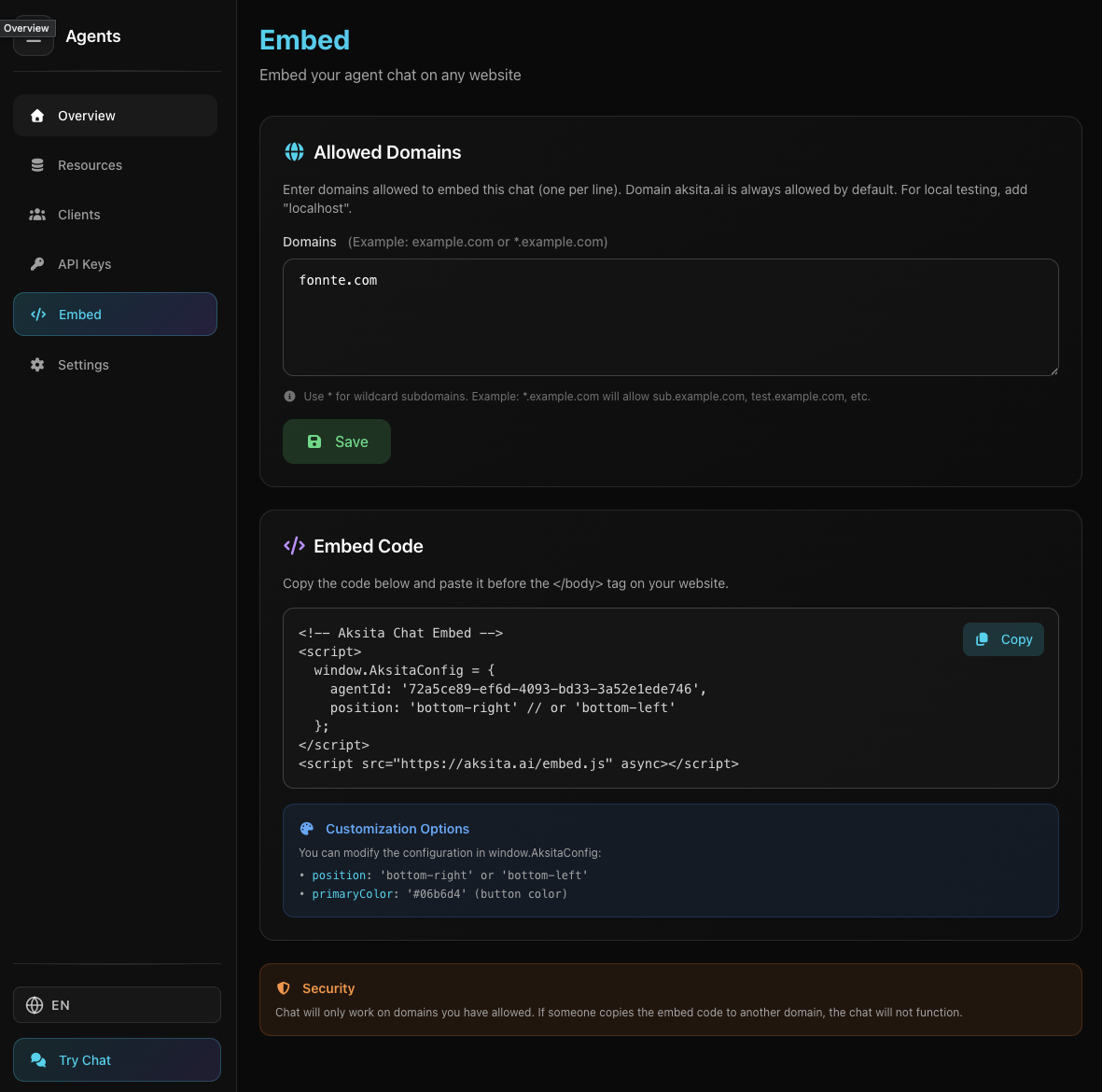
Screenshot: Embed Agent Page
Screenshot: Embed Agent Page
- 1 Open Embed page
In dashboard, select agent → Embed
- 2 Customize widget
Set color, position, and welcome message
- 3 Copy embed code
Click "Copy Code" to get the script
- 4 Paste on website
Add script before </body> tag
Complete installation details:
Read Embed Widget tutorialWidget Display
Widget Closed (Chat Button):
Widget appears as a floating button in the website corner. Visitors can click this button to open chat.

Widget in closed state
Widget in closed state
Widget Open (Chat Interface):
When clicked, widget opens showing complete chat interface with starter prompt and input area.

Widget in open state
Widget in open state
User Experience
How website visitors interact with embedded agent:
Visitor clicks chat button → chat window opens at corner → welcome message appears
Visitor types question → agent responds real-time → conversation continues naturally
Visitor can minimize widget → continue browsing → reopen anytime to continue chat
Customization
Widget can be customized to match your website appearance:
Choose bottom right or bottom left corner according to your website layout.
Complete customization:
See Embed Widget Management tutorialBest Practices
Use starter prompt that invites visitors to ask questions
Choose widget position that doesn't block important content
Ensure widget works well on all devices
Ensure agent has info to answer common questions
Monitoring
Monitor your embedded agent performance through analytics dashboard:
See how many visitors interact with the agent
Monitor credit usage for budget planning