
Agent Management
Embed Widget
Embed agent chat widget on your website
What is Embed?
Embed is a feature to install agent chat widget on your website. The widget will appear as a chat button in the bottom right/left corner of the website.
Use Cases:
- 24/7 customer support on website
- Sales assistant for products
- Interactive FAQ
Allowed Domains
For security, you must specify which domains are allowed to use this widget.
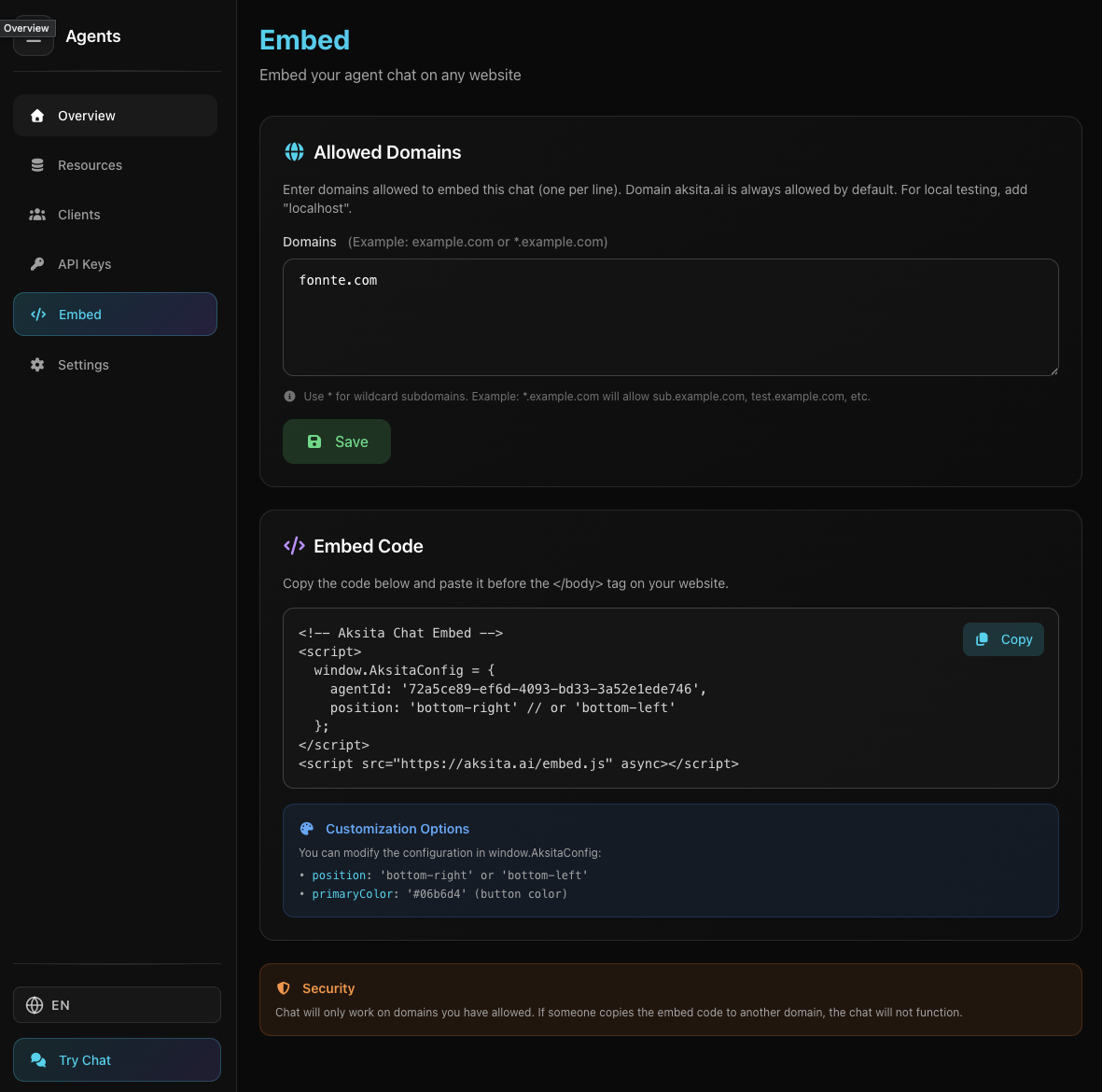
Screenshot: Embed Page
Screenshot: Embed Page
How to Add Domains:
- 1 Open Embed Tab
Click "Embed" tab on agent page
- 2 Enter Domains
Type domains (one per line) in "Allowed Domains" textarea
example.comwww.example.com*.subdomain.com - 3 Save
Click "Save Domains"
Domain Format:
example.com - Specific domainwww.example.com - Domain with www*.example.com - All subdomains (wildcard)Embed Code
How to Install:
- 1 Copy Code
Click "Copy" button in "Embed Code" section
- 2 Paste on Website
Paste code BEFORE </body> tag in your website HTML
- 3 Done!
Widget will appear in bottom right corner of website
Example code:
<!-- Aksita Chat Embed -->
<script>
  window.AksitaConfig = {
    agentId: 'your-agent-id',
    position: 'bottom-right'
  };
</script>
<script src="https://aksita.ai/embed.js" async></script>
Customization
Customization Options in window.AksitaConfig:
position (string)Widget position: 'bottom-right' or 'bottom-left'
Tips & Tricks
- Add all domains that will use the widget (including www if needed)
- Use wildcard (*.example.com) for all subdomains at once
- Widget only appears on allowed domains for security
Previous
API Keys
Generate API keys