
Manual Knowledge Base
Easiest way to add knowledge base with direct text input
What is Manual KB?
Manual Knowledge Base is the easiest and fastest way to add information to your agent. Simply type or paste text directly, without needing URLs or files. Perfect for FAQs, product descriptions, guides, or any information you already have in text form.
No configuration needed, direct input
No training process, ready to use
Edit anytime easily
When to Use Manual KB?
Frequently asked questions and answers about your product or service
Detailed information about products, features, specifications, and pricing
Step-by-step usage, tips, or how to solve problems
About company, services, locations, operating hours, contact
How to Create Manual KB
- 1 Open Resources Page
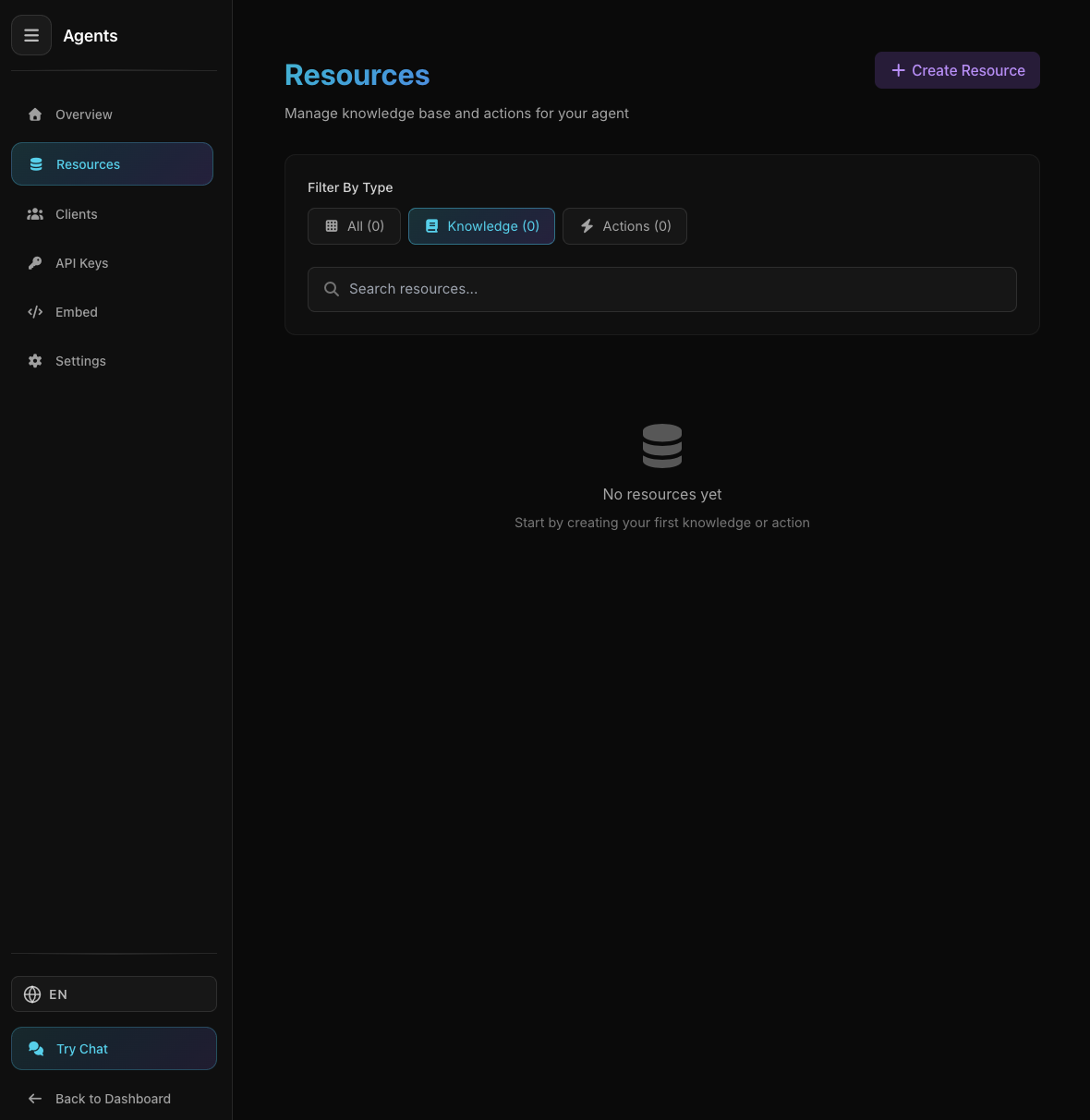
Agent Resources Page
Agent Resources Page
From agent detail, click "Resources" tab
- 2 Click "Create Resource"
Select "Knowledge" tab (already selected by default)
- 3 Select "Manual"
Click "Manual" card with keyboard icon
- 4 Fill the Form
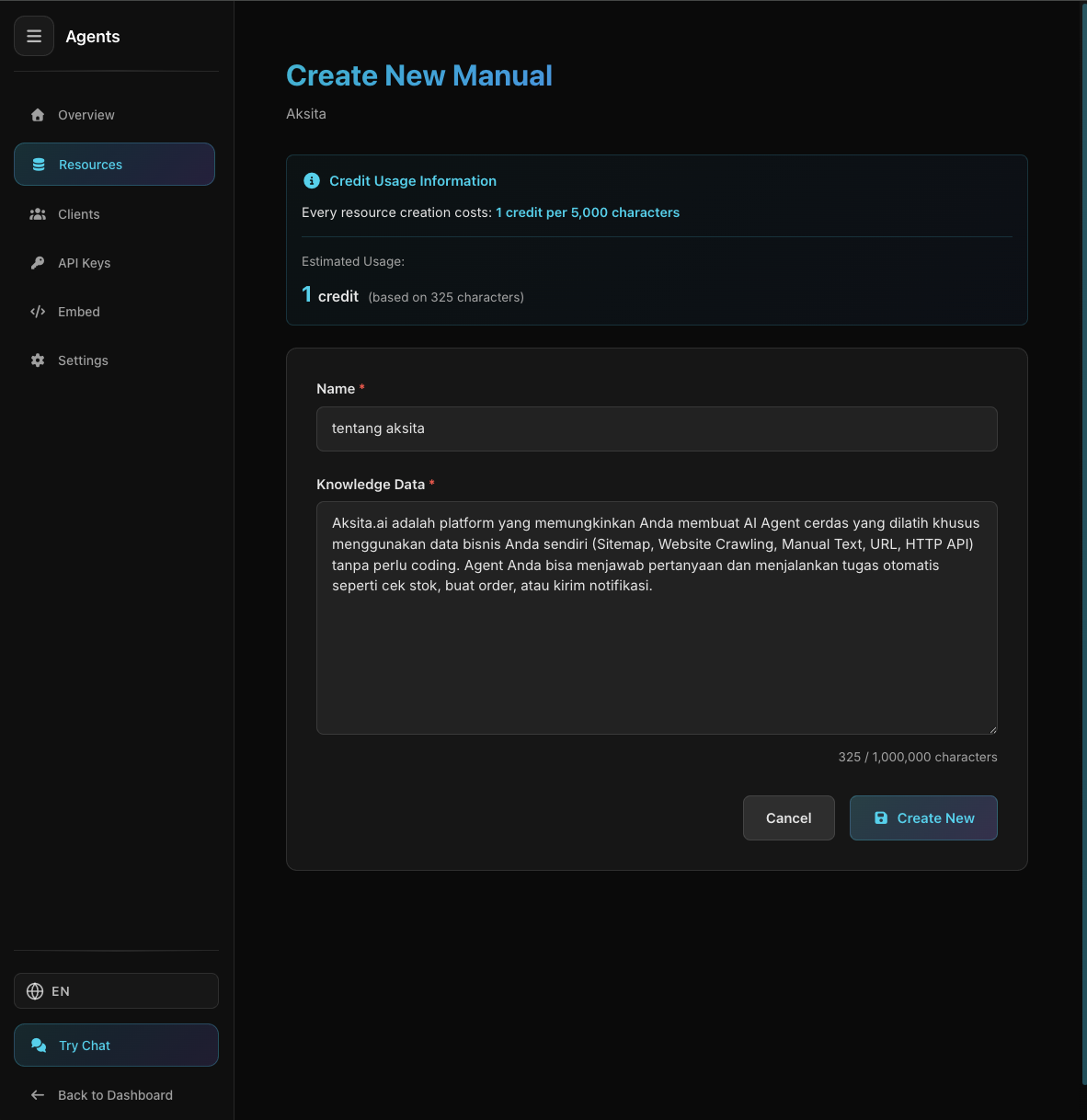
Manual Knowledge Base Form
Manual Knowledge Base Form
Name *Descriptive name for this knowledge base
Example: "Product A FAQ", "Registration Guide", "Pricing Info"Content *Type or paste the information you want to add
What is Product A? Product A is... How much does it cost? Pricing starts from... - 5 Click "Create"
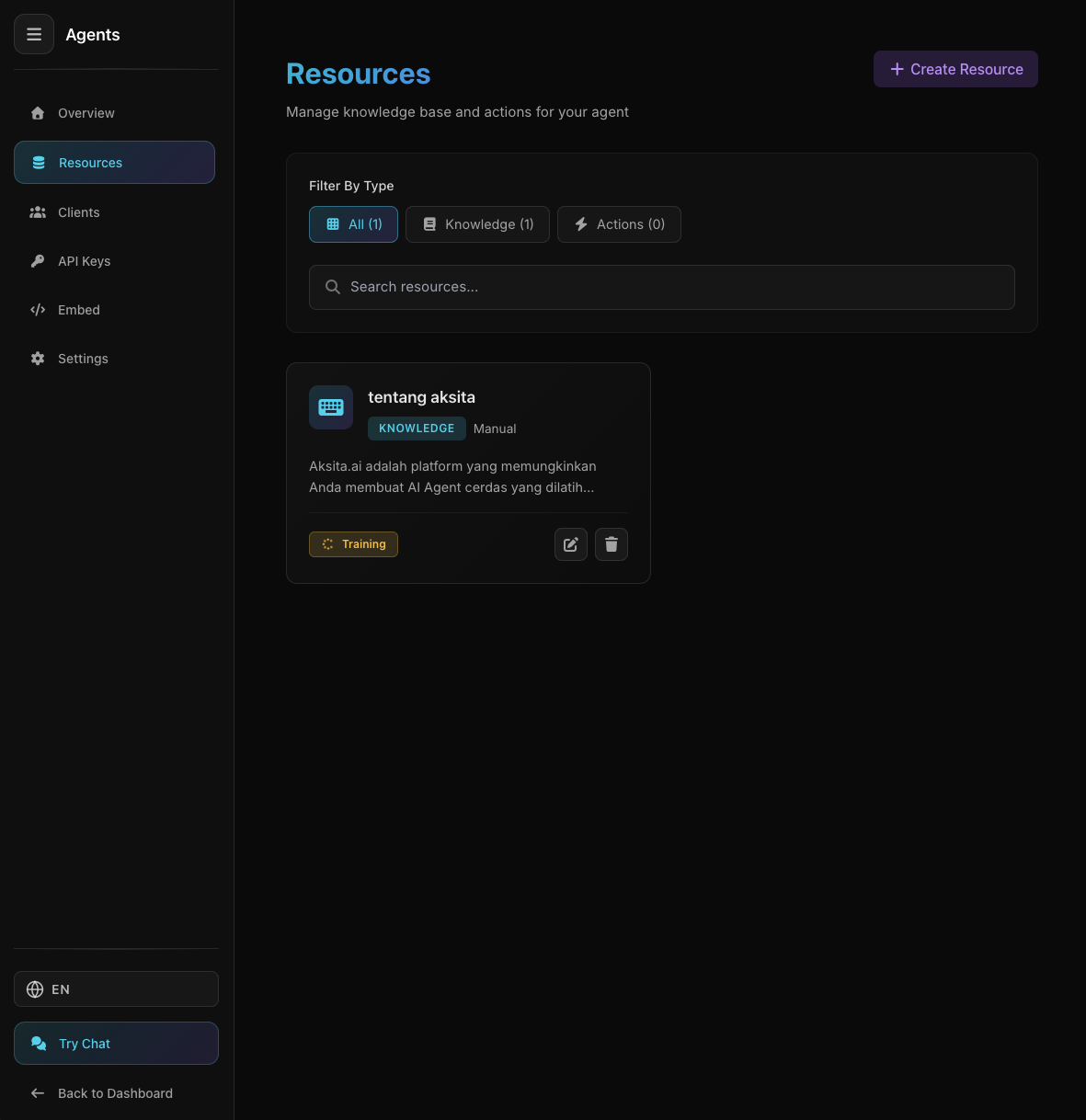
Manual KB Created Successfully
Manual KB Created Successfully
Knowledge base is immediately ready to use, no training process!
Knowledge base is immediately ready to use, no training process!
Done! Your agent can now use this information to answer questions.
Tips & Best Practices
Use paragraphs, bullet points, and spacing to make text easy to read
Separate different topics into different KBs for better organization
Use easy-to-understand language, avoid overly technical jargon
Update content when there are changes in information, products, or services
Question-answer format helps agent understand context better
Example Manual KB
Name:
FAQ Produk Aksita.aiContent:
Apa itu Aksita.ai?
Aksita.ai adalah platform AI Agent yang memungkinkan Anda membuat chatbot cerdas untuk website atau aplikasi Anda.
Apakah ada paket gratis?
Ya, kami menyediakan paket Free dengan 10 credits untuk Anda mencoba platform kami.
Bagaimana cara upgrade paket?
Anda bisa upgrade paket dari halaman Billing di dashboard. Pilih paket yang sesuai dan lakukan pembayaran.
Apakah support bahasa Indonesia?
Ya, Aksita.ai support bahasa Indonesia dan English.