
URL Knowledge Base
Fetch content from a single web page for your agent's knowledge base
What is URL KB?
URL Knowledge Base allows you to fetch content from a single specific web page. The system will automatically read and extract text from that page, then use it as an information source for your agent.
Just enter URL, system fetches automatically
Automatic text extraction
Refresh content anytime
When to Use URL KB?
Specific articles relevant to your business or product
Product or API documentation already online
About company, terms & conditions, privacy policy
Specific product details from e-commerce website
How to Create URL KB
- 1 Open Resources Page
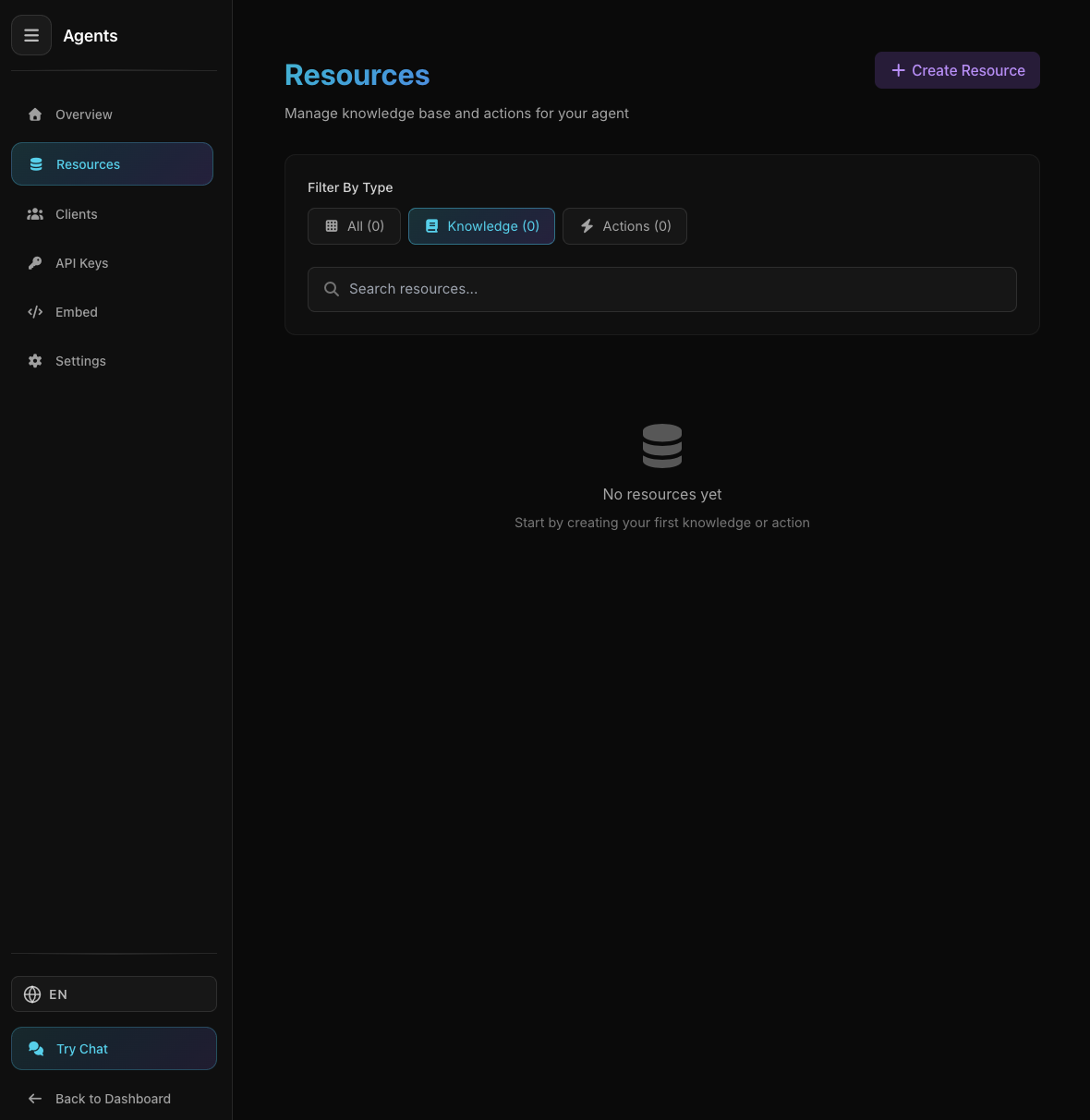
Agent Resources Page
Agent Resources Page
From agent detail, click "Resources" tab
- 2 Click "Create Resource"
Select "Knowledge" tab
- 3 Select "URL"
Click "URL" card with link icon
- 4 Enter URL
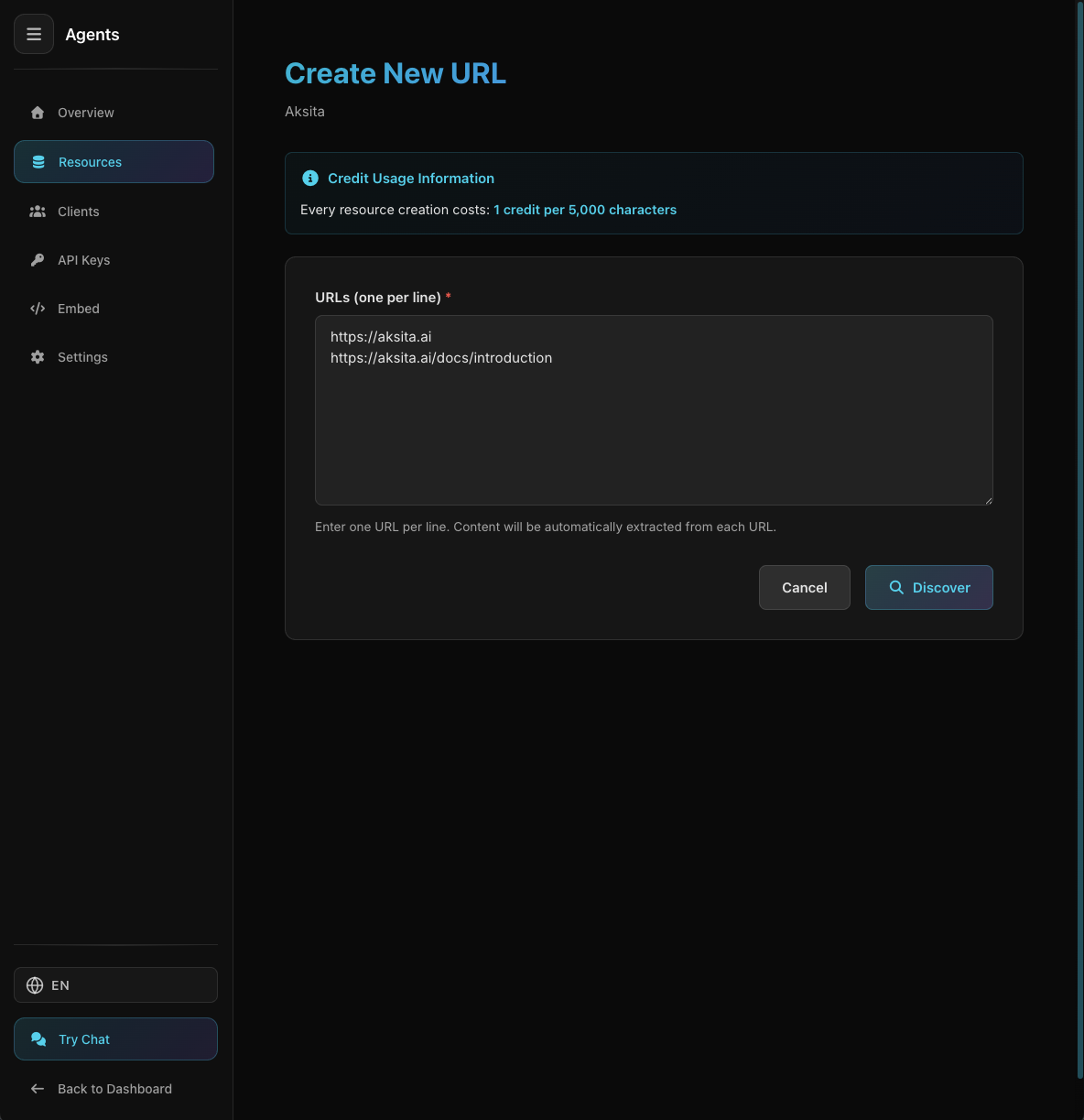
URL Input Form
URL Input Form
Paste complete URL of the web page you want to add
https://example.com/about
https://example.com/docs/getting-started
https://example.com/blog/article-title - 5 System Fetches Content
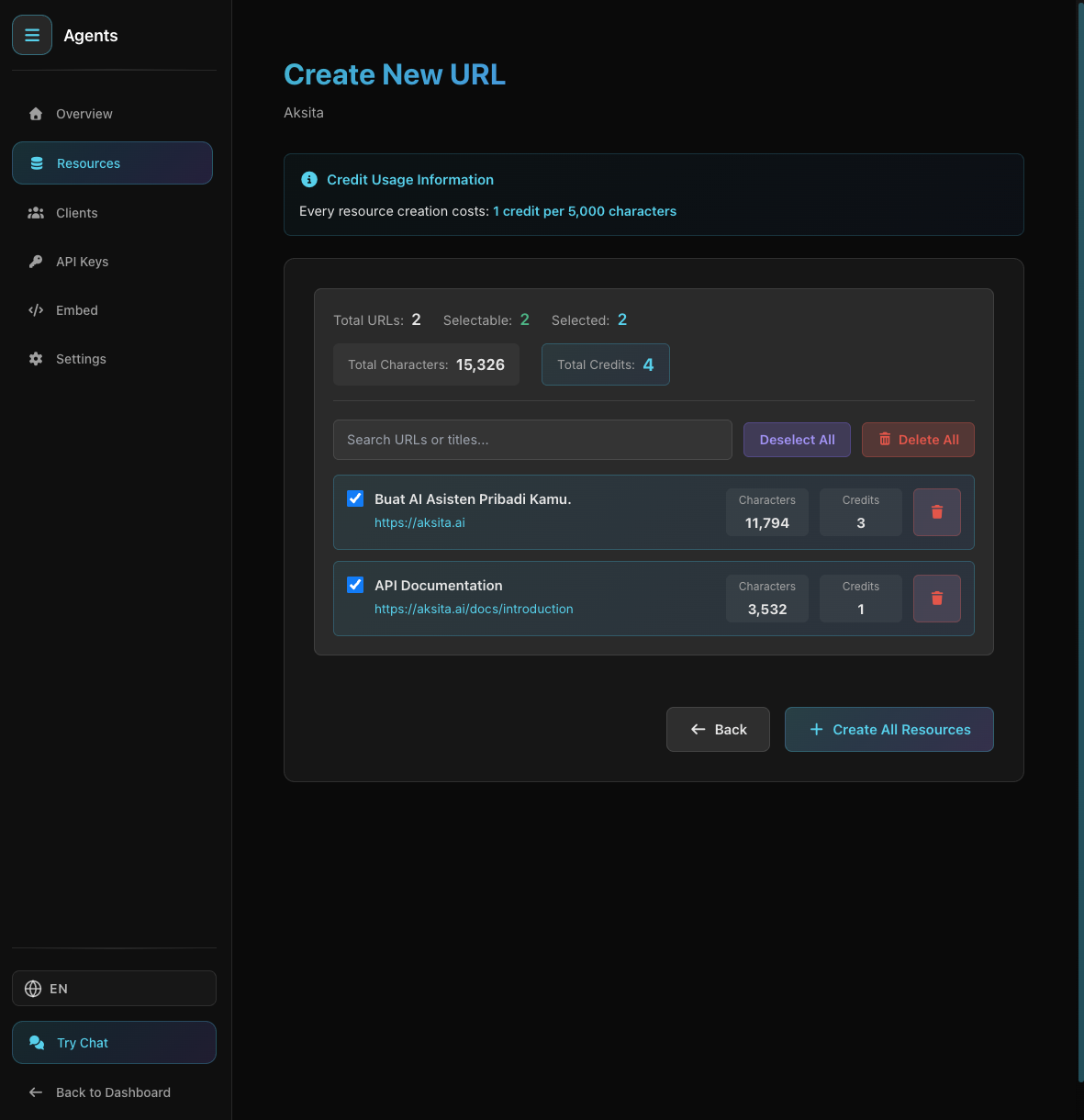
Content Successfully Fetched from URL
Content Successfully Fetched from URL
System will automatically access the URL, read the page, and extract text. You can see a preview of the fetched content.
- 6 Review & Create
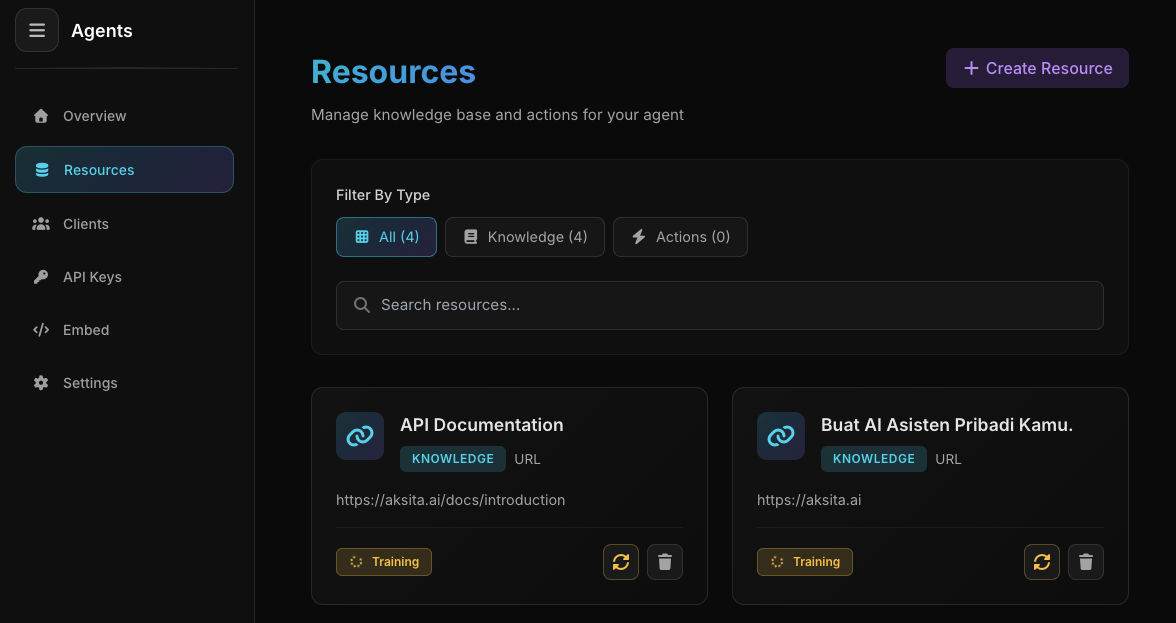
URL KB Created Successfully
URL KB Created Successfully
Review the fetched content, give it a name, then click "Create"
Knowledge base will be processed and ready to use in a few moments
Important Notes
URL KB only fetches 1 page. For multiple pages, use Sitemap or Domain.
Some websites might block crawling. If failed, use Manual KB.
We can only read SSR (Server-Side Rendered) websites. JavaScript-based SPA (Single Page Application) like React, Vue, or Angular without SSR cannot be read.
Cannot fetch pages requiring login or authentication
🔒 Unique URL Per Agent
Each agent can only have ONE resource per URL. This is an important feature that prevents duplicate resources and ensures your knowledge base stays well organized.
If you add a URL that already exists, the system will automatically update the existing resource instead of creating a new one. Old content stays active while new content processes (zero downtime).
URL uniqueness only applies per agent. Agent A and Agent B can use the same URL without issues. Uniqueness is scoped per agent, not globally.
This feature provides several important benefits:
- ✓ Prevents confusion from duplicate resources
- ✓ Simplifies content updates (just add again with same URL)
- ✓ Knowledge base stays more organized and clean
- ✓ Saves credits (update cheaper than duplicates)
You add https://example.com/pricing today. Tomorrow the pricing content changes. Add the same URL again - the system will update the existing resource, not create a new one!
Tips & Best Practices
Ensure the page contains useful information for the agent
Choose URLs that don't change frequently or redirect
Give clear names for easy identification
Refresh content if the web page has been updated
Previous
Manual
Type manual knowledge base